
guide
BandLab SongStarter Guide: Workflow, Rights, and Limits
Learn how to use BandLab SongStarter, move an idea into Studio, understand the current rights note, and turn a generated seed into an original song.
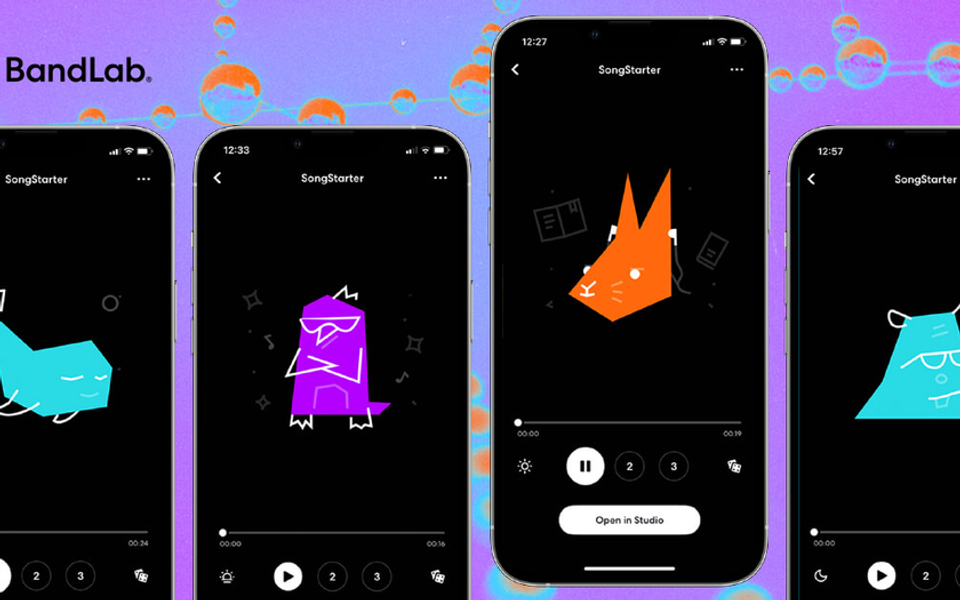
BandLab SongStarter is a free idea generator built into BandLab’s web and mobile creation flow. It is useful for breaking a blank-page moment, testing an unfamiliar genre, or creating a harmonic and rhythmic seed that can be opened in Studio. It is not a finished-song button, and BandLab’s current help page includes an important rights distinction: users may use generated tracks without fees or royalties, but do not own the generated track itself.
How SongStarter works now
BandLab’s July 2026 instructions say creators can open SongStarter from the Create flow on web or mobile, choose a genre, and generate several variations. The interface exposes mood, tempo, and key controls. A result can be regenerated, saved as a project, or opened directly in BandLab Studio for editing.
That last step is the useful one. A generated seed becomes more defensible and more personal when the artist replaces sounds, rewrites harmony, changes the arrangement, records performances, edits lyrics, and makes production decisions rather than exporting the first result untouched.
Step-by-step workflow
- Open BandLab and choose SongStarter from the Create or Tools area.
- Choose a genre, then set mood, tempo, and key to match the intended song.
- Generate the available variations and compare structure, not only sound selection.
- Save the most promising idea as a project or open it in Studio.
- Replace or edit the elements that define the hook: chords, melody, rhythm, sound palette, and form.
- Record original vocals or instruments and create a clear beginning, development, and ending.
- Keep project history and exports that show the human creative contribution.
- Review BandLab’s current terms before commercial release because product rules can change.
What the ownership note means
BandLab states that users can use SongStarter results without paying fees or royalties to the original creator, while also stating that users do not own rights in the generated track. That is different from receiving exclusive ownership. It means creators should avoid treating the untouched seed as a uniquely owned master or selling it as a standalone sample.
The safer creative practice is transformation. Use SongStarter to choose a direction, then author the parts that listeners will recognize as the song. If collaborators are involved, document who wrote lyrics, melody, harmony, and performances.
Strengths
- Free access lowers the cost of trying a new direction.
- Web and mobile availability makes ideation easy to start.
- Genre, mood, tempo, and key controls give useful constraints.
- Direct handoff to Studio keeps editing inside one ecosystem.
- Multiple variations encourage comparison rather than dependence on one output.
Limitations
- The generated track is not described as exclusively owned by the user.
- Results can feel generic without substantial rewriting.
- It offers less note-level control than a MIDI-first tool.
- The workflow is strongest inside BandLab; producers using another DAW need an export and handoff plan.
- A generated seed does not solve lyrics, performance, arrangement, mixing, or release strategy.
SongStarter versus alternatives
Choose SongStarter when you want a free, fast sketch that opens in a collaborative browser/mobile studio. Choose AudioCipher when editable MIDI and local file organization matter. Choose a sample library when you want curated human-made sounds with a clear pack license. Choose a full text-to-song service only when a rendered demo is more useful than granular control.
Verdict
BandLab SongStarter is best used as a prompt for human songwriting, not as the final song. Its free workflow and Studio integration are genuinely useful, but the ownership language makes heavy editing especially important. Generate a direction, then make the composition, performance, arrangement, and production unmistakably yours.
Frequently asked questions
Is SongStarter free? BandLab currently presents it as part of its free creation tools, though account features can change.
Can I release a SongStarter idea? BandLab says the generated track can be used without fees or royalties, but the current help page also says you do not own the generated track. Transform it substantially and check the live terms.
Can I use SongStarter on mobile? Yes. BandLab documents both web and mobile workflows.
Sources and further reading
- BandLab Help — Generate Ideas with SongStarter AICurrent web/mobile workflow and rights note.
- BandLab Technologies — AI licensing platformBandLab’s artist-control approach to AI training licenses.
- U.S. Copyright Office — AI CopyrightabilityHuman-authorship context for AI-assisted work.