guide
How to Build an Artist Merch Store Website
Plan an artist merch website around products you can fulfill, complete product information, clear policies, verified payments, and a tested mobile checkout.
Disclosure: Doldur Music may earn a commission if you sign up for Promake through links in this article, at no additional cost to you. We describe only features we could verify from current public information.
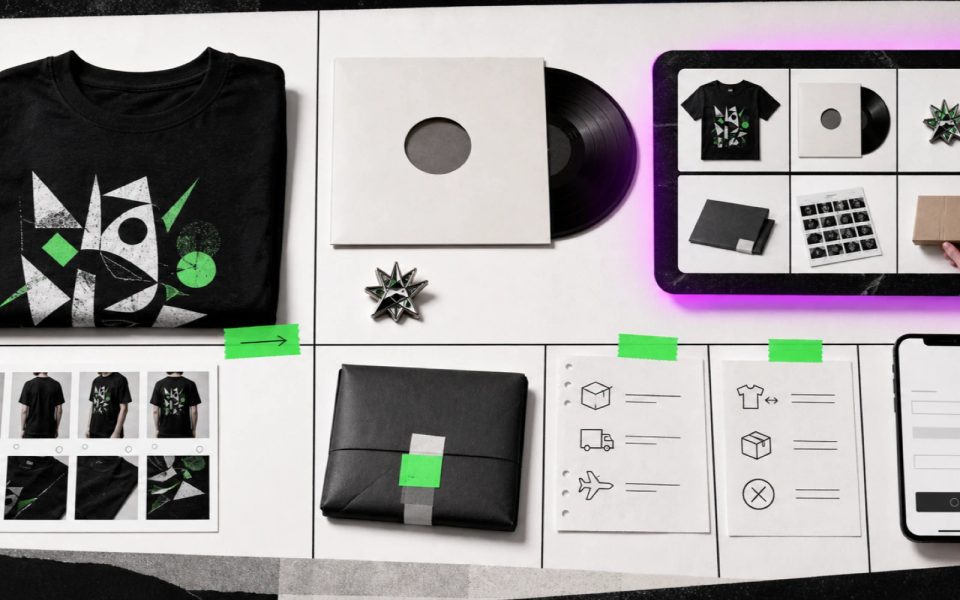
An artist merch website begins with an operation, not a storefront theme. Before adding products, the artist needs approved designs, production or stock rules, prices, rights-cleared images, shipping regions, packaging, returns, customer support, and a verified payment flow.
A simple store can work for a small physical collection. A specialist commerce platform may be a better choice when the artist needs complex inventory, print-on-demand, international tax, advanced shipping, subscriptions, or digital delivery. Decide from the fulfillment work, then build the page.
Key points
- Prepare products and fulfillment before designing the store.
- Create a complete product record for every item and variant.
- Use real product photography, accurate availability, and clear materials or sizing.
- Verify payment, shipping, tax, returns, confirmation, and support on a phone.
- Keep Promake’s documented e-commerce and payment scope separate from unverified inventory, fulfillment, print-on-demand, or digital delivery.
- Move to specialist commerce infrastructure when operational complexity demands it.
Define the merch operation
Write down how every order will move from purchase to delivery.
For each product, decide:
- who produces it;
- whether stock exists or the item is made to order;
- who stores it;
- who packs and ships it;
- which countries are served;
- how postage is calculated;
- what packaging is used;
- what happens when an item is damaged, lost, or returned;
- who answers customer messages;
- how stock or availability is updated.
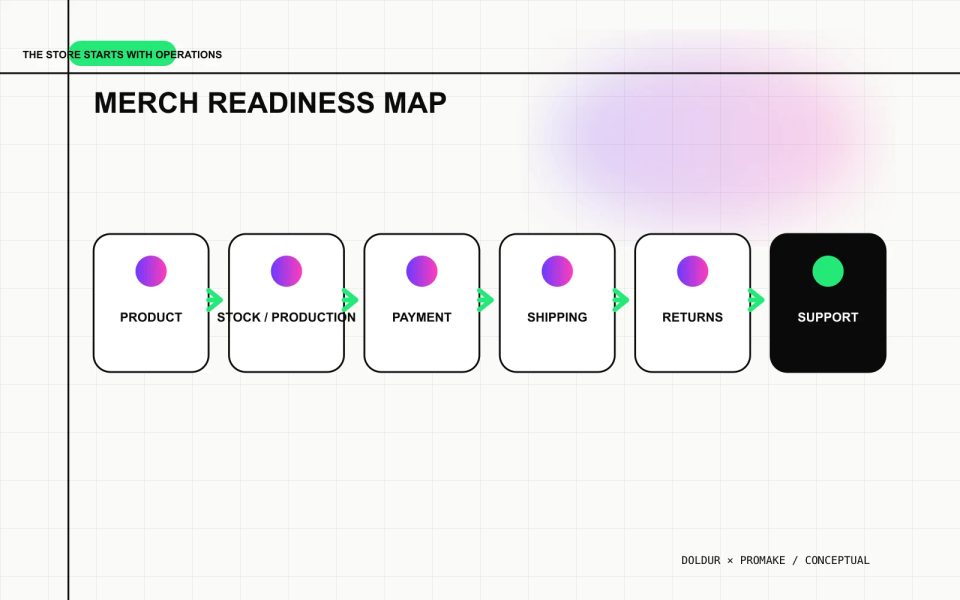
If those answers do not exist, the store is not ready. A checkout button does not create a fulfillment process.
Start with a small collection that can be maintained. One shirt, one poster, and one physical release with complete information are more credible than twenty mockups with uncertain stock.
Confirm rights and brand material
The artist should own or have permission to use every design, photograph, lyric, logo, typeface, and collaborator image on the product and page.
Keep a record of:
- design creator and agreement;
- photographer and usage;
- artwork source files;
- collaborator approval;
- typeface or asset license;
- manufacturer proof;
- territories or time limits;
- required credits.
Do not assume that owning a recording gives the artist every right to a photograph, cover design, sample-derived image, or collaborator likeness. Resolve permissions before production and publication.
Create a practical brand kit with approved logo files, colors, type guidance, product-art files, and image rules. Promake currently lists a brand kit on an eligible plan, but the existence of that feature does not establish ownership or licensing.
Build a complete product record
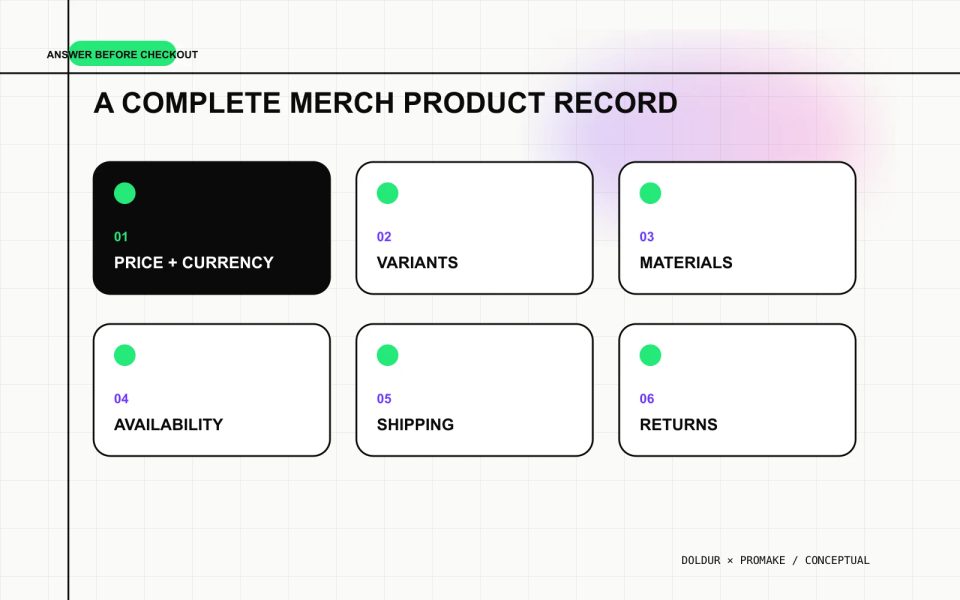
Every product page should answer the questions a buyer needs before checkout.
Include:
- clear product name;
- accurate price and currency;
- product type;
- materials;
- dimensions or size guide;
- color and variant options;
- what is included;
- production method when relevant;
- current availability;
- dispatch estimate;
- shipping regions and costs or calculation method;
- return or exchange conditions;
- care instructions;
- safety or age information when relevant;
- support contact.
For a physical release, state format, edition, track list, catalogue information, and what makes the edition distinct. Do not call an item limited unless the quantity or production limit is real and approved.
For apparel, use an actual size guide tied to the garment blank or manufacturer. “True to size” is not enough when cuts vary.
Photograph the real item
Mockups can support early planning, but customers need images that represent what will arrive.
For each physical product, capture:
- clean front view;
- back view when different;
- close detail of print, embroidery, paper, finish, or hardware;
- scale or worn view when useful;
- packaging when it affects the purchase;
- meaningful variant differences.
Use consistent lighting and a neutral color reference. Avoid filters that materially change the product color. Add alternative text that describes the item and important visual details.
If the final item has not been manufactured, label the image accurately and do not accept orders based on a misleading render.
Structure the artist merch website
A compact store can use:
- Collection introduction
- Product grid
- Individual product records
- Shipping and dispatch information
- Returns and exchanges
- Contact and support
- Privacy and required legal information
- Cart and verified checkout
Keep music and artist context available, but do not make buyers navigate a full biography before reaching product details. Link back to the artist site and releases with descriptive labels.
Avoid placing every policy only in the footer. Show material shipping, return, and made-to-order conditions before checkout.
Verify the payment flow
Promake’s current public pricing lists e-commerce management and payment integrations on eligible plans. Before accepting orders, verify the actual provider and complete transaction path.
Check:
- merchant country and eligibility;
- customer countries;
- currencies and payment methods;
- fees and payout schedule;
- one-time and recurring behavior;
- checkout accessibility;
- tax configuration;
- order confirmation;
- refund and cancellation process;
- dispute handling;
- privacy and data responsibilities;
- test or sandbox mode.
Do not claim the store handles tax, fraud, refunds, subscriptions, or local payment methods because the page contains a checkout. Verify each function in the configured provider.
Run approved tests without creating an unauthorized charge. If a real transaction is necessary, obtain explicit permission and document the refund and order cleanup.
Write shipping and return information people can use
Shipping copy should answer:
- where the shop sends orders;
- when an order is expected to dispatch;
- how rates are calculated;
- whether tracking is provided;
- who may pay import duties or taxes;
- what to do if an order is late or damaged.
Return information should state the window, item condition, exclusions, exchange process, return-shipping responsibility, refund method, and contact route. Check the applicable consumer rules for the merchant and customer locations; do not copy a generic policy from another store.
Made-to-order, personalized, hygiene-sensitive, or digital products may require different treatment. Get qualified advice where legal accuracy matters.
Keep availability accurate
The public Promake pages reviewed for this article do not establish automatic inventory synchronization. Do not publish a quantity counter or “only two left” message unless it comes from a reliable source.
For a very small store, a manual availability process may be acceptable:
- record opening stock or production capacity;
- update availability after orders;
- pause the product before overselling;
- reconcile the payment and fulfillment records;
- communicate delays quickly.
That ceiling arrives fast. Multiple variants, sales channels, locations, bundles, or high order volume usually need specialist inventory and order management.
Decide when a specialist store is the better tool
Choose specialist commerce infrastructure when the operation needs:
- real-time inventory across variants or channels;
- print-on-demand routing;
- advanced shipping rules;
- international tax calculation;
- local payment methods;
- subscriptions or fan clubs;
- discount and bundle logic;
- warehouse integrations;
- returns portals;
- digital music or file delivery;
- marketplace synchronization;
- detailed order analytics and permissions.
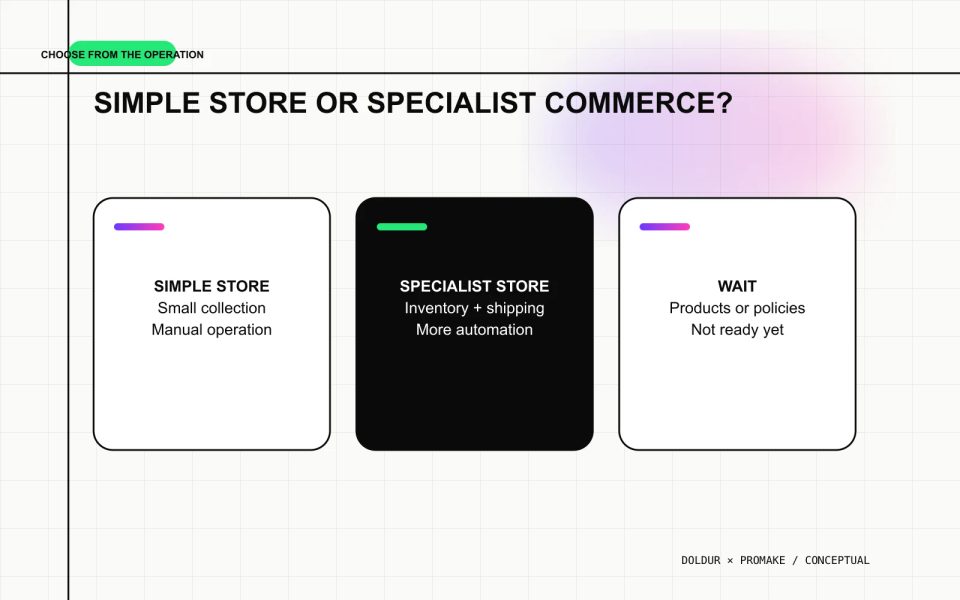
A specialist platform is not overkill when it prevents overselling, tax errors, lost orders, or manual fulfillment failures. Use the smallest system that safely handles the real operation.
Build the simple storefront with Promake
Promake’s public documentation describes conversational website creation, visual editing, publishing, domains, professional email, a brand kit, e-commerce management, and payment integrations on eligible plans.
Give the builder:
- approved product records;
- final images and alt text;
- collection structure;
- prices and currencies;
- availability wording;
- shipping regions and dispatch estimates;
- returns and support information;
- verified payment route;
- a list of features it must not imply.
Review every product and policy sentence. Do not allow the first draft to invent materials, sustainability claims, stock, scarcity, shipping times, returns, discounts, reviews, or checkout features.
Use the musician website guide for the owned-site foundation and the musician website pages checklist to decide when Store deserves a separate page.
If the operation is ready and the verified capabilities fit, build the artist merch website with Promake. Use a specialist platform when fulfillment and commerce complexity exceeds the documented scope.
Run the mobile checkout test
On a phone, confirm that a buyer can:
- understand the product;
- choose the correct variant;
- see price and currency;
- check material and sizing;
- understand availability;
- find shipping and return information;
- reach support;
- complete the approved checkout;
- receive the expected confirmation.
Test unavailable, failed-payment, duplicate-submission, refund, and contact states where the tools allow. Confirm the artist receives enough order information to fulfill the item without exposing unnecessary customer data.
A store is finished when fulfillment works
The page is only the public surface. The real product is the complete experience from accurate listing to delivered order and resolved problem.
Launch fewer items, document the process, test the payment route, and choose specialist infrastructure as soon as manual operations stop being reliable.
FAQs
What should an artist merch website include?
Include complete product records, real images, prices, variants, materials, availability, shipping, returns, support, privacy information, and a verified checkout.
Can I sell merch without holding inventory?
Yes, through made-to-order or print-on-demand arrangements, but the production time, provider, quality checks, returns, and customer communication still need a reliable process.
Does a simple website builder manage merch inventory?
Do not assume it does. Verify inventory, variant, order, and synchronization capabilities in current documentation. Promake’s public material reviewed here does not establish automatic inventory management.
Can an artist merch store deliver digital music?
Only when the chosen commerce system explicitly supports secure file delivery, access, taxes, refunds, and rights. The reviewed Promake material does not establish digital music delivery.
When should an artist use a specialist commerce platform?
Use one when the store needs complex inventory, print-on-demand, international tax, advanced shipping, subscriptions, digital delivery, multiple channels, or higher order volume.