guide
How to Build a Musician Website With AI
Plan and build a focused musician website with AI, then connect the domain, official music destinations, contact route, and launch checks.
Disclosure: Doldur Music may earn a commission if you sign up for Promake through links in this article, at no additional cost to you. We describe only features we could verify from current public information.
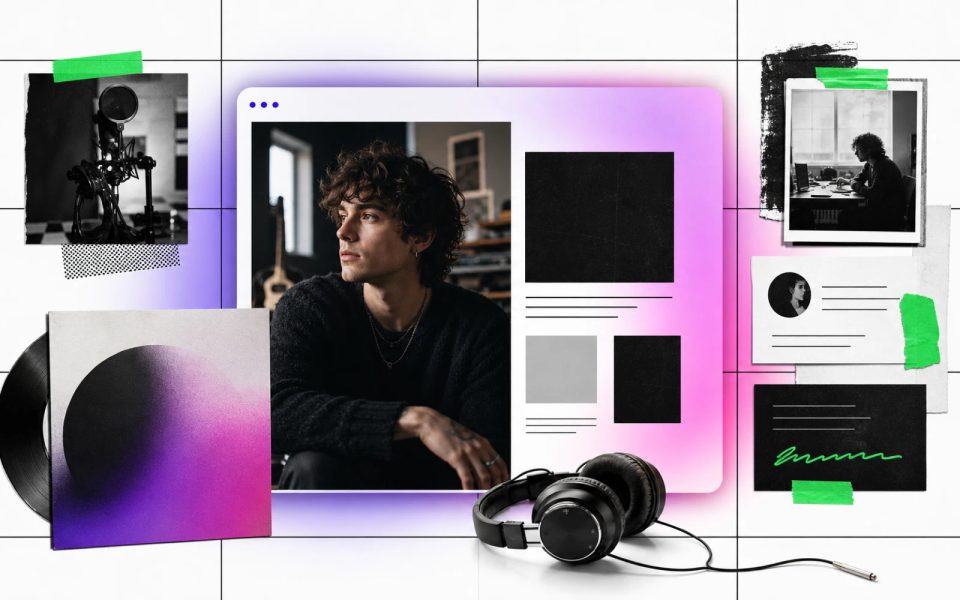
A musician website does not need to imitate a streaming service, a social feed, and a ticketing platform at the same time. Its job is simpler: give fans, journalists, collaborators, and bookers one dependable place to understand who you are and what they should do next. An AI website builder can speed up the first layout, but the useful part still comes from your music, your approved images, and your decisions.
The strongest first version is usually small. It has a clear artist name, current music, enough context to make that music meaningful, one form of proof, and one contact route. Build that before you add a store, an archive, or a page for every release.
Key points
- Build around visitor tasks, not a long list of website features.
- Collect your approved music, images, biography, credits, and links before opening a builder.
- Give the site one primary action: listen, book, read the EPK, buy merch, or join a list.
- Use an AI-generated first draft as editable material, not as finished artist copy.
- Test every page and destination on a phone before sharing the domain.
- Keep distribution, pre-save, streaming analytics, ticketing, and booking systems in the specialist tools built for those jobs.
Why an owned musician website still matters
An owned site is the stable layer in a music career that otherwise moves between platforms. A social profile can introduce a new listener. Spotify, Apple Music, YouTube, and Bandcamp can deliver music. A ticketing service can sell entry to a show. None of those pages gives you complete control over the order, context, and contact path. If you are deciding how much owned space you need, compare an artist website with a link-in-bio page.
That control matters most when visitors arrive with different intentions. A fan may want the latest song. A journalist needs a short biography and downloadable photo. A promoter wants recent live evidence and a booking address. A collaborator wants to know what you make and how to reach you. Your website can route each person without asking them to search through a feed.
Ownership does not mean rebuilding every platform. It means maintaining one canonical introduction to the project, then linking out to the official places where listening, buying, booking, or subscribing actually happens.
Gather the material before building a musician website
The fastest build starts outside the builder. Put the material in one folder and decide what is approved. This prevents a plausible-looking first draft from filling gaps with generic language or irrelevant imagery.
Prepare:
- the artist or band name exactly as it should appear;
- a one-sentence description in your own words;
- a short biography of roughly 80–150 words;
- one strong horizontal image and one portrait;
- current release artwork;
- official links for music, video, tickets, and social profiles;
- selected credits or press lines you have permission to use;
- current show information, if relevant;
- a public contact or role-based email address;
- one primary action for the homepage.
Check names, dates, spelling, featured artists, and credits against your release paperwork. Do not use an invented quote, a guessed listener count, or an old show date simply because it makes the layout look complete.

Decide what the website should do first
A musician website becomes easier to design when it has one leading job. Choose the action that matches the next three to six months of the project.
For a new single, the homepage may lead to a release landing page. For an active live band, it may lead to upcoming shows or the EPK. A producer looking for clients may lead with selected work and a contact form. A teacher may lead with lesson fit and an external booking route. The other material can remain available, but it should not compete with the main action at the top of the page.
Write the decision in one sentence:
The website should help [audience] understand [artist or offer] and then [primary action].
If that sentence contains three different audiences and four equal actions, narrow it. A website can grow later; a confused first screen cannot explain itself later.
How to build a musician website with AI
The practical process has seven steps:
- Write a plain-language site brief.
- Choose the minimum page structure.
- Generate the first version.
- Replace generic copy and imagery.
- Add official destinations.
- Review the hierarchy on desktop and mobile.
- Connect the final domain and publish.
1. Write a site brief in your own language
Describe the project as if you were briefing a designer who has never heard the music. Name the audience, mood, available material, required sections, main action, and anything the site must not claim.
Here is a useful starting format:
Build a compact website for [artist name], a [specific description in the artist’s words] project for [audience]. Use [approved palette, typography mood, or visual references]. The homepage should lead visitors to [primary action]. Include [required sections] using only the supplied biography, images, credits, dates, and links. Do not invent press quotes, achievements, streaming numbers, reviews, or show dates. Make the contact route clear and keep the mobile version easy to scan.
This is a content brief, not a magic prompt. It works because it states the decisions that generic prompts leave open.
2. Choose the smallest useful structure
Start with one page when the artist has a focused offer and a modest amount of material. A one-page site can include an introduction, latest music, short biography, selected live or press proof, and contact.
Split the site when a section has its own visitor task or enough material to deserve a URL. Our guide to essential musician website pages explains the decision. When the material justifies it, use the focused structure for an EPK website, a booking-ready band website, a producer portfolio, a music teacher website, or an artist merch website.
3. Generate a first version
Promake’s public pages describe a conversational website builder that can create and publish sites from a brief. Give it the approved material and the structure you chose. Treat the result as a draft: the first version should make the page visible enough to critique, not settle every sentence.
Do one focused pass at a time. First fix the order of sections. Then correct the copy. Then replace imagery. Finally adjust details such as spacing, emphasis, and button labels. Changing everything at once makes it harder to tell which decision improved the page.

4. Remove generic artist copy
AI-generated artist copy often sounds polished without saying anything identifiable. Phrases about “pushing boundaries,” “captivating audiences,” or taking listeners on a “sonic journey” can apply to almost anyone.
Replace them with details a listener can picture:
- where the project is based, when relevant;
- the instruments, production approach, or performance format;
- the current release or body of work;
- the role the artist actually played;
- a specific next step.
“London producer making club tracks from chopped vocal recordings and live percussion” gives a visitor more information than “genre-defying artist creating unforgettable experiences.” Specificity is the voice.
5. Add official music and contact destinations
Use direct links to the artist’s verified pages. Label buttons by destination and action: “Listen on Spotify,” “Watch on YouTube,” “Buy on Bandcamp,” or “Booking enquiries.” Do not hide every destination behind the same “Click here” label.
An owned page with manually added service buttons is not automatically a music smart link. It does not become a pre-save campaign, identify a visitor’s preferred service, or provide fan analytics unless a connected specialist service explicitly supplies those features.
6. Review the mobile hierarchy
Most launch errors are ordinary: the button is below a large image, a line of text becomes too long, the contact address is hidden in the footer, or one service link opens the wrong release.
On a phone, check:
- the artist name is immediately clear;
- the primary action appears without a long search;
- body text is comfortably readable;
- images crop without losing faces or artwork;
- buttons have clear labels and usable target sizes;
- keyboard focus remains visible;
- every external link reaches the intended profile or release;
- dated material is current;
- forms explain what happens to submitted information.
Reduced motion preferences, contrast, alternative text, and a logical heading order are launch requirements, not finishing touches.
7. Connect the domain and publish
A readable domain helps people recognize the destination in a bio, press release, poster, or email signature. A role-based address such as booking@artistname.com can also make the contact purpose clearer.
Promake currently documents website publishing, custom-domain management, and professional email options. Plans and prices can change, so confirm the current pricing and domain or email terms before buying. Publish first on the available preview or hosted address, run the checks, and connect the final domain only when the content is ready.
What an AI musician website builder does not replace
The website is the routing and context layer. It does not replace:
- a distributor delivering recordings to services;
- a dedicated smart-link or pre-save provider;
- streaming dashboards and audience analytics;
- ticketing and guest-list systems;
- a newsletter provider and its consent tools;
- booking or calendar software;
- inventory, fulfillment, tax, or digital-delivery systems.
Connect those services when the job requires them. A smaller honest stack is more useful than calling every outbound link a native website feature.
A practical musician website launch check
Read the page once as each visitor type. Can a new listener find the current song? Can a journalist copy the artist name and short biography without guessing? Can a promoter find recent live evidence and a working contact? Can the artist update a date without rebuilding the whole structure?
Then perform a technical pass:
- open every page in a private browser window;
- check the preferred HTTPS domain and canonical version;
- confirm title and description are unique;
- verify the social image;
- test links on a phone;
- compress oversized images;
- add useful alternative text;
- remove drafts, placeholder buttons, and old dates;
- confirm contact delivery;
- check any privacy or cookie obligations created by forms or embedded services.
The Doldur Music artist directory and Doldur Music release catalogue show how artist and release material can remain connected without forcing every fact onto one page. For release-specific metadata and launch checks, use the free Music Release SEO Kit.

Build the smallest version you can maintain
A good first musician website is not the one with the most pages. It is the one that stays accurate when a new release arrives, a show changes, or a contact address moves.
Start with identity, current music, one piece of proof, one contact route, and one next action. If Promake fits the way you want to build, start your musician website with Promake. Keep the specialist music tools you already need, and let the site connect them.
FAQs
Do musicians still need a website if they use social media?
A website and social media solve different problems. Social platforms help with distribution and conversation; an owned website gives the project a stable identity, permanent URLs, selected context, and a direct contact route.
Can I build a musician website without coding?
Yes. A hosted website builder can handle layout, publishing, and common site settings without requiring code. You still need to supply accurate music, images, copy, links, and policies, then test the result.
Is one page enough for an independent artist?
It can be. One page is often enough when the artist has a focused release or offer and limited material. Add separate pages when Music, Shows, EPK, Store, or Contact has a distinct visitor task or enough depth to justify its own URL.
Can a musician website replace a smart link?
It can present manually maintained links to several services, but that is not the same as automatic service matching, pre-save, deep linking, or campaign analytics. Use a dedicated provider when those functions matter.
What should appear first on a musician website?
Show the artist name, a clear description or current release, and the main action. A visitor should not need to scroll through a long biography before finding the music or contact route.