guide
What Pages Should a Musician Website Include?
Choose the musician website pages that fans, press, promoters, and collaborators actually need, without creating empty sections you cannot maintain.
Disclosure: Doldur Music may earn a commission if you sign up for Promake through links in this article, at no additional cost to you. We describe only features we could verify from current public information.
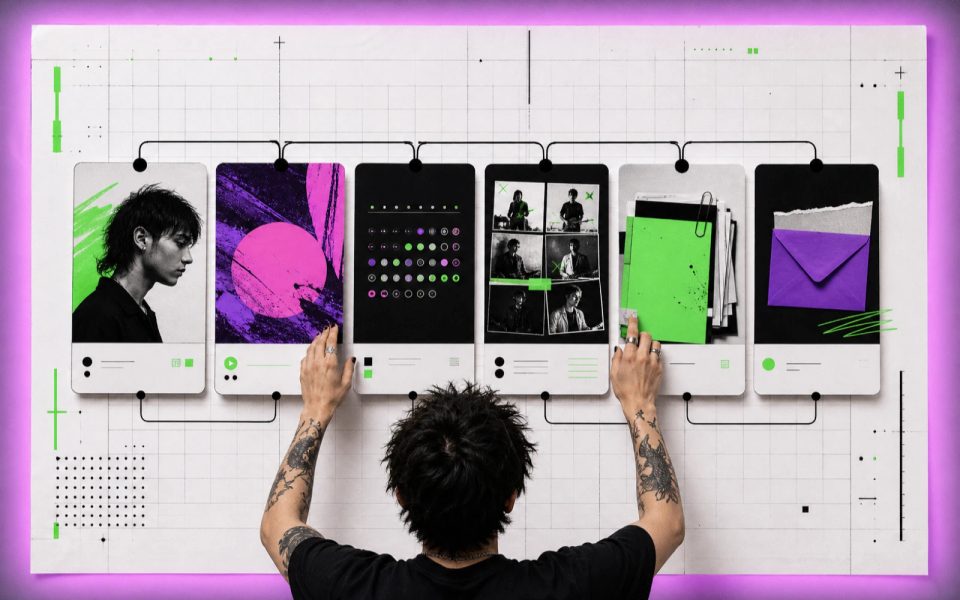
The right musician website pages are the ones that answer a real visitor question. Most independent artists can begin with Home, Music, About, and Contact. Add Shows when dates are current, an EPK when press or booking is active, and a Store only when products and fulfillment are ready.
This is not a requirement to build seven thin pages. A strong one-page artist site can hold the same information. The choice depends on how much material exists, who needs it, and how often the artist can keep it accurate.
Key points
- Give every page a visitor and a job.
- Start with Home, Music, About, and Contact; expand only when the material warrants it.
- Keep press and booking facts easy to copy, download, and verify.
- Remove empty or stale pages instead of preserving a complete-looking menu.
- Use one page for a compact project and multiple pages when content needs durable URLs or separate navigation.
Map visitors to musician website pages
Fans, journalists, promoters, collaborators, and potential clients do not arrive with the same question. A useful site makes their routes obvious.
Visitor
Their immediate question
Best destination
New listener
What does this artist sound like?
Home or Music
Existing fan
What is new, and where can I listen or buy?
Home, Music, Shows, Store
Journalist
What is the verified story and which images are approved?
About or EPK
Promoter
Can this act perform the right show, and how do I enquire?
Shows, EPK, Contact
Collaborator
What has the artist made, and what role did they play?
Music, About, Portfolio
Customer or student
What is offered, what does it cost, and what happens next?
Services or Lessons, Contact

Do not make each audience read the entire site. A clear navigation label and a descriptive link from the homepage can save more time than another decorative section.
The Home page should orient and route
Home should identify the artist, establish the current priority, and route visitors deeper. It is not a compressed copy of every page.
Include:
- the artist or band name;
- a specific one-line description;
- one primary action;
- current music, show, or offer;
- one strong approved image;
- selected proof when it is current and relevant;
- short routes to Music, About, Shows, EPK, or Contact.
Place the most time-sensitive priority near the top. During a release campaign, that may be the new single. For a working band, it may be upcoming shows and booking. For a producer, it may be three selected projects.
Avoid an introductory screen that shows only a logo, a vague sentence, or an “Enter” button. A visitor should be able to name the project and find the next action without solving a visual puzzle.
The Music page should provide context, not duplicate a platform
Music is where the catalogue becomes understandable. Use it to organize the releases that matter, explain the current work, show accurate credits, and send listeners to official destinations.
For each selected release, provide:
- title and artwork;
- artist and featured-artist names;
- release date and type;
- a short, specific description;
- track list when relevant;
- selected credits;
- official listening, watching, or buying links.
Do not build a hollow page for every track merely to increase the number of URLs. Create a release page when it has distinct material: a story, credits, video, lyrics with permission, production notes, or press context.
The Doldur Music release catalogue shows how releases can connect artwork, credits, and official destinations without pretending to replace a streaming service.
The About page should supply usable artist context
About is where visitors find the version of the story that can survive beyond one campaign. Lead with the facts that locate the project: who it is, where it is based when relevant, what it makes, and what period or release matters now.
A useful About page often contains:
- a short biography for quick use;
- a longer biography when the story merits it;
- approved portrait or group image;
- member names and roles for a band;
- selected credits or milestones that can be verified;
- links to official profiles;
- a path to press assets or contact.
Write in the artist’s actual vocabulary. “Manchester trio combining live drums, modular synths, and close vocal harmonies” communicates more than a paragraph about breaking boundaries. Avoid invented genre labels, press praise, and claims such as “rising star” unless they come from an attributed source.
The Shows page should be current or absent
Shows helps fans attend and promoters assess activity. It also becomes visibly untrustworthy when the newest date happened eighteen months ago.
For each event, include the verified date, city, venue, billing context, and official ticket destination. Add age restrictions, accessibility information, doors time, or set time only when confirmed by the organizer.
When there are no public dates, choose one of three honest options:
- remove Shows from the main navigation;
- show a short “No announced dates” message with a newsletter or social destination;
- maintain a clearly labelled past-shows archive if it provides real context.
Do not invent placeholder events for design. Do not copy venue information without checking the official listing.
The EPK page should serve press and booking work
An electronic press kit is a working package, not a decorative biography. It should help a journalist, promoter, festival, or music supervisor evaluate the artist and retrieve approved material.
Include the short biography, current music, selected live video, high-resolution press photos, credits, relevant press lines, practical facts, and a direct professional contact. Name downloadable files clearly and include photographer credits and usage notes.
An EPK may live as a section on a small site or as its own page. Give it a separate URL when it is actively shared in outreach, contains several downloads, or serves a different audience from the fan homepage. Our EPK website guide covers the complete order and asset checklist.
The Contact page should state what happens next
Contact should route the enquiry to the right place. A single public address may be enough for a solo artist. A working team may need separate booking, press, management, licensing, production, or lesson routes.
Use role-based addresses when possible and approved:
- booking@…
- press@…
- management@…
- licensing@…
If using a form, ask only for information needed to respond. Explain who receives it and review the privacy requirements created by collecting personal information. Test delivery before launch and after any email or domain change.
Do not expose a private address or phone number simply because a template includes the field.
Store and newsletter pages are optional
A Store page is useful when products, prices, images, stock or production rules, shipping, returns, and customer support are ready. Until then, link to an established storefront rather than presenting products that cannot be fulfilled.
A newsletter form is useful when someone will send the newsletter and the signup includes the consent and privacy information required for the audience. “Join the mailing list” is not a complete system by itself.
Both sections add ongoing work. Add them because they serve a plan, not because a musician website checklist contains them.
One-page vs multi-page musician website
The same content can live in one scrolling page or several separate pages.
Choose one page when:
- the project has a small catalogue;
- there is one primary audience or campaign;
- each section is short;
- updates are occasional;
- simple mobile navigation matters most.
Choose several pages when:
- Music, Shows, EPK, Store, or Portfolio has substantial material;
- pages need to be shared independently;
- press and fan routes are meaningfully different;
- the catalogue will keep growing;
- separate URLs make updates clearer.

Page count is not a measure of professionalism. A maintained one-page site is stronger than six pages of outdated dates and generic text.
How to choose each musician website page
Run every proposed section through three questions:
- Who is this for? Name the visitor.
- What can they do here that they cannot do elsewhere on the site? Name the job.
- Can the artist keep it accurate? Name the owner and update trigger.
Keep the page when all three answers are clear. Merge it when the job is useful but the material is short. Remove it when no audience or maintenance plan exists.

Promake’s public documentation describes a conversational builder, visual editing, publishing, domain management, and professional email options. That can support either a one-page or multi-page artist site. It does not decide what deserves a page, and its public material does not establish music distribution, pre-save, smart-link matching, fan analytics, or booking automation.
If the page map is ready, turn your musician website structure into a first site with Promake. Confirm current plan and domain details before purchase.
Begin with the four-page test
Draft Home, Music, About, and Contact first. If Shows, EPK, Store, Lessons, or Portfolio has real material and a real reader, add it. If not, leave it out. The musician website guide covers the full build process, while the band website guide shows how this structure changes for booking enquiries.
The right musician website pages make the site feel complete because every visitor can finish a task, not because the navigation is full.
FAQs
How many pages should a musician website have?
There is no required number. Many independent artists can begin with one page or four focused pages. Add pages when content has a distinct visitor, enough depth, and a maintenance plan.
Does every musician need an EPK page?
No. An EPK becomes useful when the artist is pursuing press, booking, festivals, licensing, or professional opportunities that require approved assets and concise facts.
Should releases have separate pages?
Create a separate release page when it offers more than a cover and links. Useful additions include credits, track lists, video, production context, press material, or a permanent campaign archive.
What should a musician put on the Contact page?
Provide the approved contact route and label its purpose. If several team members handle different enquiries, separate booking, press, management, licensing, or lessons.
Is a one-page artist website good for SEO?
A one-page site can be crawlable and useful, but it has less room to give separate topics distinct URLs and context. Choose the format for reader tasks and available material; neither structure guarantees rankings.