guide
LoopLM by Aux Review: Status, Workflow, and Alternatives
A current review of LoopLM by Aux, including its original text-to-loop workflow, licensing questions, product-status checks, and practical alternatives.
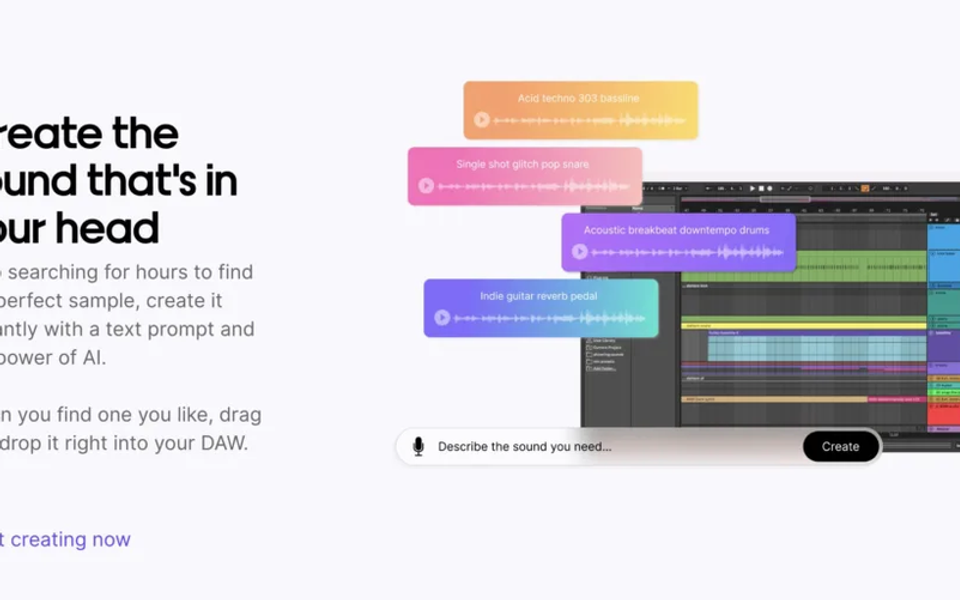
LoopLM attracted producers with a simple promise: describe a sound in words, generate a loop, preview it, and move the result into a production session. That remains a useful way to think about AI sample generation, but the original 2024 article made pricing and licensing claims that should not be treated as permanent. This update separates the documented workflow from details that require a live product check.
What LoopLM was designed to do
Aux presented LoopLM as a text-to-audio loop generator inside its broader creator ecosystem. The intended workflow was narrower than a full text-to-song service: enter a prompt for a short musical idea, generate alternatives, preview them, and download the useful result for arrangement in a DAW.
That narrow scope is valuable. A loop is raw material, not a finished composition. Producers can chop it, change pitch, add drums, resample it, or use it only as a reference. The creative outcome still depends on selection, editing, sound design, and arrangement.
How to use a text-to-loop generator well
- Write prompts around audible properties: instrument, tempo range, rhythm, texture, era, and emotional character.
- Generate a small batch and compare every result at the same loudness.
- Download lossless audio when available and confirm the file’s sample rate before importing.
- Time-stretch or pitch-shift only after saving an untouched copy.
- Record the prompt, generation date, product version, and license that applied when the file was created.
- Turn the loop into a larger arrangement by changing harmony, rhythm, instrumentation, or structure rather than repeating it unchanged.
Licensing: verify the exact output terms
The old page called every LoopLM result royalty-free and referred to a large licensed creator library. Those statements may describe an earlier product state, but they are not universal promises for every future plan or model. Before releasing music, save the current terms and determine whether commercial distribution, client work, sync, sample-pack resale, and model training are treated differently.
“Royalty-free” does not mean copyright-free, exclusive, or guaranteed to be unique. It usually describes a payment model. A non-exclusive loop may also appear in another user’s work. If exclusivity matters, create substantial original changes or commission source material.
Current product-status check
Aux’s original LoopLM page remains the historical primary source for the product. Because availability, account access, pricing, and output options can change, treat the live interface—not an old review—as authoritative. If sign-up or generation is unavailable, the right conclusion is that LoopLM is not currently a dependable production dependency, even if archived descriptions remain online.
Alternatives
- Use a sample marketplace when you need cleared, human-made material and searchable metadata.
- Use a current text-to-audio generator when prompt-based novelty matters more than editability.
- Use MIDI generation when you want control over notes, harmony, tempo, and instrumentation.
- Record or resample your own source when uniqueness and chain of title matter most.
Verdict
LoopLM was an early, focused example of prompt-to-loop creation. Its best lesson is the workflow, not a frozen feature list: generate narrowly, keep source records, verify the license, and transform the result into a genuinely authored production. Producers should confirm live availability before paying or building a release schedule around it.
Frequently asked questions
Is LoopLM a full song generator? No. Its documented role was generating short samples and loops for use in a wider production workflow.
Are LoopLM loops exclusive? Do not assume so. Check the current license and treat generated material as potentially non-exclusive unless the terms say otherwise.
Should I choose audio or MIDI generation? Choose audio for texture and immediate sound; choose MIDI when editing notes and harmony is more important.
Sources and further reading
- Aux — LoopLMOriginal product description and workflow.
- U.S. Copyright Office — AI CopyrightabilityHuman-authorship guidance for AI-assisted output.
- DDEX — AI metadata initiativesIndustry work on communicating AI involvement and training permissions.