analysis
Licensing AI-Generated Loops: A Producer Checklist
Audit the product, plan, inputs, output grant, restrictions, ownership, survival, Content ID rules, and evidence before releasing an AI-generated loop.
An AI-generated loop is usable only when three different questions line up: you had permission to provide any input, the service grants the output rights required by your release, and your own human contribution and third-party materials support the ownership claims you plan to make. “Royalty-free,” “commercial use,” “unique,” and “copyright-owned” are not interchangeable promises.
Read the license for the exact product, feature, plan, and generation date before release. Some tools permit commercial use only on paid plans. Some sample libraries grant perpetual use in a new recording but prohibit redistributing the isolated sound. Some systems transform already licensed catalog material. Others accept user uploads, creating an additional input-rights issue.
This is a practical producer workflow, not legal advice. Contracts and copyright rules vary by service and jurisdiction.
The short answer
Before using an AI-generated loop commercially, confirm all of the following:
- You controlled or were allowed to upload every input.
- The plan active at generation permits the intended commercial use.
- The license survives cancellation if you need it to.
- The output can be modified, synchronized, distributed, performed, and delivered to clients.
- The sound cannot be resold, sublicensed, or exposed in isolation unless the terms expressly allow it.
- You understand whether the license is exclusive or nonexclusive.
- You are not claiming copyright or fingerprint ownership over material the provider still owns.
- The provider’s AI, privacy, and data terms match the confidentiality of the project.
- Your distributor, client, label, and Content ID policy accept the material and evidence.
- You saved a dated copy of the terms, generation record, subscription receipt, and any license certificate.
If one point is unclear, keep the loop out of the final master until the provider answers in writing.
First identify what kind of “AI loop” you have
Licensing starts with provenance, not sound quality. Products described with similar AI language may produce material under different legal structures.
A loop selected from a licensed sample library
A recommendation system may use AI to find an existing loop that matches your track. The sound is still a library sample. The applicable sample license controls it.
Splice’s current terms say Sounds are licensed rather than sold. A downloaded Sound may be used with other sounds in a new commercial or noncommercial recording under a nonexclusive, nontransferable, perpetual right, subject to prohibited uses. The producer owns original contributions, not the underlying Splice Sound.
That distinction affects registrations, disputes, and delivery. You can generally release the new recording, but you should not claim exclusive ownership of the library loop or distribute it as a standalone sample.
A transformed version of a licensed library sound
Output describes Co-Producer as recommending premium, musician-made, royalty-free samples. Its Re-imagine feature uses AI to create variations from Output’s library material. The provenance begins with licensed catalog audio, while the product’s current rules determine how the generated variation can be used.
Do not infer the license from the phrase “one-of-a-kind.” Uniqueness is a technical or product claim. Permission comes from terms. Copyrightability depends on applicable law and authorship. Exclusivity depends on the contract.
A prompt-generated loop
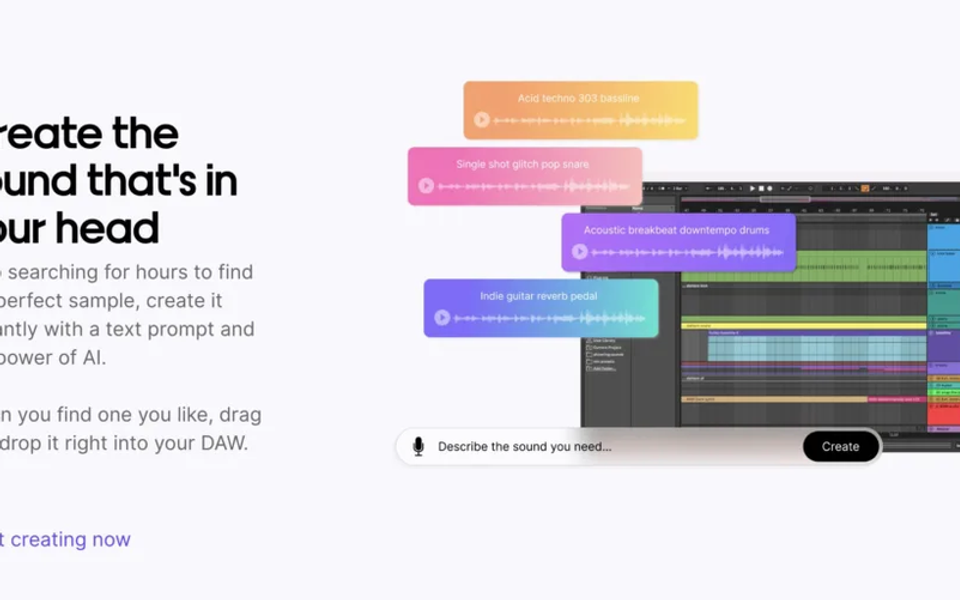
Text-to-audio services create a sound from a prompt and model settings. Stable Audio’s current FAQ, for example, says commercial use requires a paid subscription, while free users receive noncommercial rights. That plan boundary should be recorded when the file is generated, not guessed months later.
A prompt-generated file can still raise questions about model terms, prohibited prompts, output similarity, human authorship, client warranties, and automated claims. A commercial-use license is valuable, but it is not necessarily a representation that the user owns an enforceable copyright in every element.
A loop generated from your uploaded audio
Tools can extend, recompose, condition on, or transform an input. This is the highest-documentation workflow because output rights do not cure an unauthorized input.
Confirm that you control the recording, composition, performance, samples, and collaborator permissions needed to upload the file. Then inspect the service’s license to inputs: storage, model improvement, retention, deletion, confidential use, and sublicensing can matter to an unreleased song.
A loop exported from a full-song generator
Separating or cropping a generated song into a loop does not create a new license. The terms attached to the full generation still govern. Save the original generation ID and prompt with the extracted file so the provenance is not lost.
Four words producers must separate
Royalty-free
Royalty-free usually describes a payment structure: after satisfying the license, the user does not owe a recurring royalty for permitted uses. It does not automatically mean free of charge, public domain, exclusive, transferable, sublicensable, or owned by the user.
Splice demonstrates this clearly. Its current license permits licensed Sounds in new recordings but says users do not own the Sounds. A royalty-free sample can therefore remain provider- or licensor-owned.
Commercial use
Commercial permission means the license allows specified money-making activities. The scope may differ across music releases, advertising, games, client work, film, stock-media libraries, sample packs, templates, and apps.
Ask whether the permission covers both direct releases and work delivered to another party. A nontransferable license may allow a producer’s own release while requiring careful treatment of a client handoff. The new recording may be deliverable; the underlying isolated asset may not be.
Perpetual
A perpetual license can allow continued use after cancellation, but only for sounds validly acquired while the account complied with the terms. Save the acquisition record. Do not assume that access to redownload, cloud projects, plugins, or new generations also continues.
Splice offers Certified Licenses for downloaded Sounds. That kind of evidence is useful when a distributor, label, audiovisual client, or platform asks where a sample came from.
Copyright ownership
The U.S. Copyright Office’s 2025 AI report concludes that wholly AI-generated material is not protected by copyright in the United States, while human-authored expression, creative arrangement, or modification can qualify when it contains sufficient authorship. Prompting alone does not guarantee authorship.
This is distinct from a provider granting contractual permission. A service can license commercial use even if copyright in a purely generated fragment is uncertain. Conversely, your arrangement, performance, lyrics, and production may be protectable without giving you exclusive rights over a nonexclusive library sample embedded in the recording.
The seven-part license audit
1. Product and feature
Record the company, product, feature, model version, account email, generation date, file ID, and project. A company may operate sample search, conventional libraries, generative tools, and open models under different terms.
Never write “licensed from Company X” when you cannot identify which license applied.
2. Plan at generation
Save the subscription tier and receipt for the generation date. Check whether an upgrade changes only future outputs or also earlier material. Do not assume retroactive commercial rights.
Stable Audio’s current FAQ makes plan status decisive for commercial use. Other services may connect rights to account standing, enterprise limits, attribution, or intended audience size.
3. Inputs
List every prompt, uploaded recording, reference track, MIDI file, lyric, voice, and sample. For each input, state whether it is yours, licensed, public domain, or used under a considered exception.
Do not upload a released track merely because the tool can process it. Our AI stem-separation guide explains why technical extraction and legal permission are separate.
4. Granted output uses
Look for express permission to reproduce, edit, arrange, synchronize, publicly perform, distribute, monetize, and incorporate the output into a new recording. If you make music for clients, check delivery and sublicensing. If you make games or apps, check whether the audio may be extracted by end users.
Avoid summaries that say only “you can use it anywhere.” Read the limitations and definitions around that sentence.
5. Prohibited uses
Common restrictions include:
- Reselling, sharing, or sublicensing the sound in isolation.
- Building a competing sample pack, sound library, model, or service.
- Using artist names, likenesses, trademarks, or misleading endorsements.
- Registering a nonexclusive sound in Content ID or another ownership-claim system.
- Making illegal, defamatory, deceptive, or policy-violating content.
- Circumventing usage limits or allowing unauthorized account access.
Splice’s licensing FAQ specifically warns against sublicensing Sounds in isolation or as source material for another sample, even when modified. That is different from embedding the sound in a new recording with other elements.
6. Ownership, exclusivity, and warranties
Find the clauses that say who owns inputs, outputs, provider materials, and user contributions. Then find disclaimers. A platform may give broad use permission while disclaiming that outputs are unique, noninfringing, or copyrightable.
For label or client work, compare the contract you promise downstream with the rights you actually received. Do not warrant exclusive ownership if the input license is nonexclusive or the output terms do not support that promise.
7. Survival and changes
Check whether output rights survive cancellation, termination, a product shutdown, or a terms update. Save the applicable terms as a dated PDF or web archive with the generation record. A live link alone may later show different language.
Build the loop into a defensible new recording
Licensing sets the minimum permission. Creative development makes the song less dependent on a generic asset and produces clearer human authorship.
Start by naming the loop’s function: pulse, hook, atmosphere, transition, bass movement, percussion, or harmony. Then change musical relationships rather than only adding effects.
- Slice and rearrange the phrase around your song form.
- Record original harmony, melody, vocals, or percussion.
- Replace some hits or notes with your own performance.
- Change call-and-response, rests, density, and section length.
- Automate texture and space to support an original arrangement.
- Print the original and edited versions with clear filenames.
Pitch shift, filtering, reversing, or time stretching does not cancel a license restriction. Splice expressly treats modified source material as covered by its isolation restrictions. Edit for musical authorship, not as an imagined loophole.
Our AI music licensing overview provides the broader input-output framework for generated music.
Content ID and duplicate-use problems
Nonexclusive loops can appear in many legitimate releases. Automated fingerprinting may match the shared material and generate disputes even when each producer followed the license.
Reduce operational risk:
- Keep the license certificate or download record.
- Do not fingerprint the raw or lightly edited loop as exclusively yours.
- Add substantial original material before delivery.
- Tell a client or label about important nonexclusive assets.
- Preserve a version with the loop muted for troubleshooting.
- Use exact filenames and pack or generation IDs in the project notes.
- Respond to claims with narrow evidence rather than broad ownership assertions.
No edit guarantees that automated systems will ignore a loop. Documentation is the reliable defense.
A producer’s evidence folder
Create one folder beside the project containing:
- The original downloaded or generated file.
- Provider, product, feature, plan, and generation date.
- Prompt, seed, settings, and source-input list.
- Receipt, download history, and license certificate.
- PDF or screenshot of the relevant terms and version date.
- Any support response confirming unusual use.
- The unedited loop and edited production version.
- DAW project history showing human arrangement and recording.
- Collaborator split sheets and client agreement.
- Distributor or label correspondence about automated claims.
Use filenames such as provider_product_assetid_YYYY-MM-DD.wav, not cool_loop_final2.wav. Good provenance should survive a computer migration and a team handoff.
Questions for commercial releases
Can I release a song made with an AI-generated loop?
Often yes, when the exact plan grants commercial use, all inputs were authorized, prohibited uses are avoided, and the loop is incorporated into a permitted new recording. Verify the current terms for the generation date.
Can I sell the loop in a sample pack?
Do not assume so. Many music-production licenses distinguish using a sound in a finished creative work from redistributing it as production source material. You need express permission for isolated resale or sublicensing.
Do I own the loop?
Maybe not. A library may retain ownership and give a nonexclusive license. A generative service may assign or license contract rights, while copyright in a wholly AI-generated fragment remains uncertain under current U.S. guidance. Your human contributions can be analyzed separately.
Can I register the finished track with a rights organization or copyright office?
Registration and royalty administration depend on the work, jurisdiction, and organization. Accurately disclose or exclude non-claimable and preexisting material where required. Do not represent a nonexclusive provider asset as your exclusive authorship.
Is a unique output safe from claims?
Not necessarily. Technical uniqueness does not prove authorized inputs, noninfringement, copyrightability, or compatibility with platform policies. Treat it as one product characteristic, not a complete clearance opinion.
Final release checklist
- The exact product, feature, plan, model, and generation date are recorded.
- Every input was mine or authorized for this processing.
- Commercial use covers the intended release, client, territory, media, and monetization.
- The license survives cancellation for this asset if necessary.
- I am not redistributing or sublicensing the loop in isolation.
- My downstream ownership promises match the nonexclusive or generated material I used.
- I did not submit shared material for exclusive fingerprint ownership.
- The production contains documented original writing, performance, arrangement, or sound design.
- Terms, receipts, certificates, prompts, and project history are saved.
- A qualified adviser will review any high-value, ambiguous, or disputed use.
The practical goal is not to eliminate every legal uncertainty before making music. It is to know what you received, what you contributed, what you may deliver, and what you can prove later. A loop belongs in the release only when its provenance is as organized as its audio.
Sources and further reading
- Splice Terms of UseCurrent licensed-not-sold structure, new-recording grant, ownership boundaries, perpetual rights, and prohibited uses.
- Splice Sounds Licensing FAQCurrent commercial-use examples, Certified License guidance, and isolation or source-material restrictions.
- Output Co-Producer User GuideCurrent AI-assisted sample matching and Re-imagine workflow using Output library material.
- Stable Audio FAQCurrent distinction between free noncommercial rights and paid-plan commercial use.
- Copyright and Artificial Intelligence, Part 2Current U.S. Copyright Office analysis of prompts, human authorship, selection, arrangement, and modification.
- U.S. Copyright Act, Chapter 1Statutory definitions and rules for copyrightable authorship, derivative works, and exclusive rights.