guide
LoopLM Alternatives for AI-Generated Loops
Aux and LoopLM have shut down. Compare current replacements for text-generated loops, session-aware samples, layered ideas, stems, and longer source material.
LoopLM no longer needs a routine product comparison. Aux has shut down. Its live notice says all user files were scheduled for deletion by March 31, 2026, subscriptions were cancelled, and recent payments were refunded. Producers searching for LoopLM alternatives therefore need a migration decision: which current tool replaces the part of the workflow they actually used?
There is no exact one-for-one replacement. Output Co-Producer is the strongest option for samples that must fit an existing session. Stable Audio is the closest general text-to-audio choice for generating clips and textures. Splice Create is better for layered loop discovery. Jen and Eleven Music are alternatives when the useful material should come from stems or a structured longer generation.
Key points
- Do not start a new Aux or LoopLM-dependent workflow; the service is closed.
- Recover any local LoopLM exports, project files, prompts, and license records now.
- Choose a replacement by job, not by the “AI loop generator” label.
- Match-session workflows favor Output Co-Producer.
- Prompt-to-audio clips favor Stable Audio.
- Layered catalog ideas favor Splice Create.
- Stem and longer-section workflows favor Jen or Eleven Music.
- Recheck commercial terms on the day of generation and archive them with the project.
What happened to LoopLM?
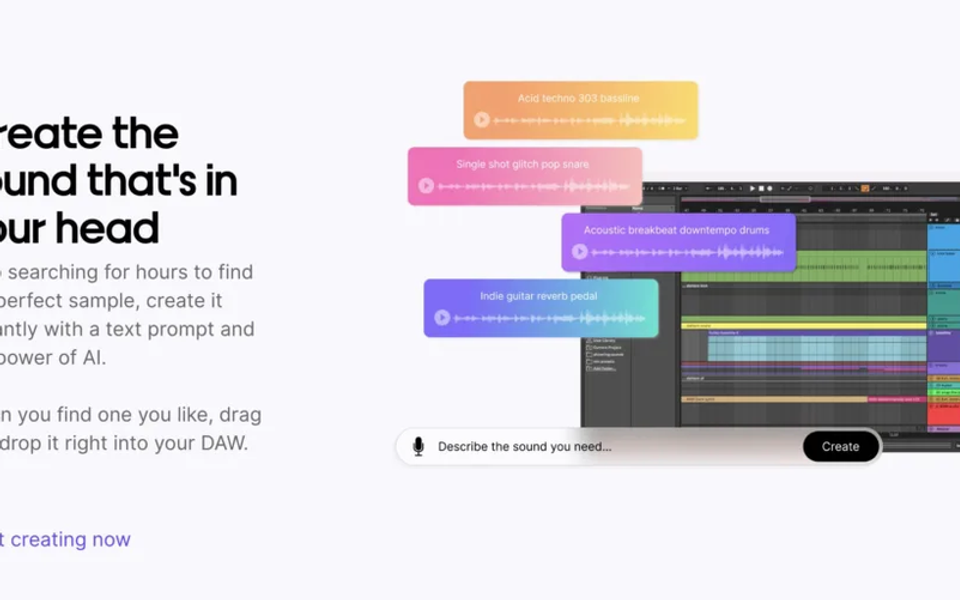
LoopLM powered Aux Sounds, a text-prompt system for generating samples and loops. It was attractive because the output could be previewed and moved into a music-production workflow without searching a conventional sample pack.
The current Aux site has replaced the product interface with a “Thank you & goodbye” notice. Aux says it decided to shut down, all files would be deleted by March 31, 2026, subscriptions were cancelled, and recent payments were refunded. As of July 19, 2026, the correct product status is discontinued—not dormant, waitlisted, or temporarily unavailable.
That changes how our earlier indexed LoopLM overview should be read. It documents what the tool offered when it existed. This article addresses the current replacement decision.
Before choosing a replacement, protect existing work
Aux’s stated deletion date has passed, so cloud recovery may no longer be possible. Search local drives, DAW project folders, download history, backups, shared collaborator folders, and bounced stems for LoopLM audio.
For every recovered file:
- Copy the original export into a read-only archive.
- Add the BPM, key, prompt, generation date, and source service to the filename or project notes.
- Save any invoice, plan confirmation, screenshot, or terms record that survived.
- Bounce an unprocessed lossless version and a processed version used in the session.
- Consolidate the DAW region so the project no longer depends on a missing cloud asset.
- Package the project with audio before transferring it to another computer or collaborator.
Do not repeatedly transcode a recovered MP3. Keep the first available file as the preservation master, then make working copies. Converting compressed audio to WAV prevents further codec loss during edits, but it does not restore information already removed.
Output Co-Producer: best replacement for session-aware samples
LoopLM began from a prompt. Co-Producer can begin from text, captured session audio, or both. Output’s official guide says the plugin analyzes harmonic and rhythmic context, previews samples at the session key and tempo, and supports drag-and-drop into a DAW.
Its Re-imagine feature generates variations from Output’s royalty-free source material. Output describes the model as trained on musician-made, ethically sourced material from its own library and Creative Commons sources. This makes Co-Producer a strong migration target when the original reason for using LoopLM was “give me a fresh loop that belongs in this track.”
Choose it when:
- The open mix should guide the result.
- Key and tempo matching are essential.
- You want to search and generate variations in one plugin.
- Direct DAW audition and export matter.
- Output One or Arcade already belongs to the studio setup.
The important policy detail is cloud analysis. Output says captured audio is uploaded. It is not used to train generative models, but may support recommendation improvements unless the account opts out. Check client agreements before sending unreleased material.
Stable Audio: best replacement for text-generated clips
Stable Audio is the more direct alternative when the prompt itself was the core of the LoopLM workflow. It generates music and sound effects from text, and Stability explicitly describes generated material as usable for samples in other music.
It works well for short rhythmic ideas, textures, transitions, mechanical sounds, ambience, and unusual hybrid instruments. Unlike a session-aware plugin, it will not automatically understand the arrangement playing in the DAW. The producer must specify tempo, role, density, instrument, register, duration, and exclusions, then audition the result in context.
Choose it when:
- You want prompt-to-waveform generation.
- Sound design matters as much as conventional loops.
- Browser generation is acceptable.
- You are prepared to trim, tune, warp, and mix the result manually.
Stable Audio’s FAQ currently separates personal and commercial permissions by plan. It says free users receive a limited monthly allowance but need a qualifying paid tier for commercial use. It also says uploaded audio is not used to train its models, while generated output may be used for model improvement. Verify the current terms rather than copying a LoopLM-era assumption.
Splice Create: best replacement for layered loop ideas
Splice Create solves a different but common LoopLM use case: escaping an empty session. Splice says Create uses AI-powered discovery to assemble unique stacks from its sample catalog. A producer can mix up to eight tempo- and key-matched layers and export the idea into a DAW.
Choose it when:
- You want a groove, bass, harmony, texture, and top line together.
- Speed of arrangement is more valuable than a newly generated waveform.
- You already rely on Splice licensing and catalog search.
- Swapping individual layers is part of the writing process.
Create is not the closest technical replacement for LoopLM because the component samples come from a catalog. Its advantage is predictable sample management and rapid layering. Its limitation is that another producer may license the same exposed source loop. Chop, resample, rearrange, and combine catalog material with original performance.
Jen: best replacement for stem-based exploration
Jen is designed for broader music generation and refinement. Its feature page lists structural tools, stem downloads, folders, bulk downloads, and StyleFilters. Instead of asking for one isolated loop, a producer can create a longer musical context, extract a useful stem, and reshape it inside the DAW.
Jen also makes explicit claims about training data. The company says its models use licensed material and that StyleFilters come from licensed rights-holder tracks. It says the resulting audio is screened against a reference catalog. Those statements provide a clearer vendor position for teams with training-data requirements, although they do not eliminate the need to read the contract or seek legal advice for a high-value release.
Choose Jen when:
- Drum, bass, instrument, or texture stems are more useful than one mixed loop.
- Training provenance is part of vendor review.
- The idea benefits from a longer arrangement before sampling.
- You want to organize and download multiple generations.
Eleven Music: best for structured source sections
Eleven Music v2 supports prompts, positive and negative style controls, section-level editing, inpainting, and durations from a few seconds to several minutes. This suits producers who used LoopLM for inspiration but now want the source material to develop across an intro, verse, chorus, transition, or breakdown.
Choose it when:
- The sample needs a musical beginning and ending.
- You want to regenerate one section without replacing the entire idea.
- A transition, fill, or evolving texture is more valuable than a static loop.
- You may later expand the source into a longer cue.
The current documentation says export format, fidelity, and commercial rights can vary by subscription. Confirm the exact tier before release work, especially when a compressed preview will be stretched or heavily processed.
Why Samplab is not the durable migration choice
Samplab and TextToSample often appear in older LoopLM-alternative lists. Samplab’s current site says the service is going offline after an interim wind-down. Existing users are supported until September 17, 2026, after which new uploads will not be possible and older versions will stop working. Offline Resynthesizer versions are offered only under stated eligibility conditions.
That may help an existing subscriber preserve projects, but it is not a dependable new cloud workflow. Replacing one discontinued dependency with another announced shutdown creates a second migration instead of solving the first.
Replacement map by LoopLM job
Use this shortcut:
- “Generate a new loop from words” → Stable Audio.
- “Find or create something that fits my open track” → Output Co-Producer.
- “Give me a layered starting point” → Splice Create.
- “Generate a musical context, then extract stems” → Jen.
- “Build and edit a structured section” → Eleven Music.
- “Keep notes and instruments editable” → choose a MIDI generator, not an audio generator.
The last distinction prevents wasted time. A rendered audio loop fixes timbre, performance, and internal balance. If the producer expects to change chord voicings, melody notes, velocities, or instrumentation, MIDI is the more appropriate output.
A safe migration test
Do not move the whole catalog immediately. Use one non-confidential production session and run the same brief through two candidates.
- Write a constrained prompt with BPM, key, length, role, instrument, register, energy, and exclusions.
- Generate or discover five candidates in each tool.
- Time how long it takes to place a usable result in the DAW.
- Check whether the output loops cleanly and remains stable after time-stretching.
- Measure how much tuning, transient repair, denoising, or EQ is required.
- Review the commercial license, upload policy, cancellation terms, and export access.
- Export the project, sign out, and confirm that local files remain usable.
- Record the result in a one-page studio standard.
The winning tool is the one that produces a releasable contribution with the least hidden cleanup and policy risk—not the most impressive solo preview.
Rights and recordkeeping after LoopLM
Keep a generation log with provider, model version where available, account tier, date, prompt, uploaded reference, output ID, and applicable terms. Store it beside the project rather than in an email inbox.
Check whether the provider permits commercial releases, client work, sync, advertising, games, sample-pack resale, sublicensing, Content ID registration, or training another model. A broad “royalty-free” statement may not cover all of those uses.
Doldur Music’s guide to AI, music licensing, and the future soundscape explains the broader distinction between permission, ownership, and copyright protection. Product terms are not a substitute for legal advice.
Frequently asked questions
Is LoopLM still available?
No. Aux’s current site says the company shut down and that user files would be deleted by March 31, 2026.
What is the closest LoopLM alternative?
For prompt-generated audio, Stable Audio is the closest general workflow. For loops that must fit an existing DAW session, Output Co-Producer is the stronger production replacement.
Can old LoopLM samples still be used?
Possibly, depending on the terms and plan that applied when they were generated. Preserve the original file, generation evidence, receipts, and terms. If the documentation is missing and the release is commercially important, obtain qualified legal advice.
Does an AI loop generator guarantee unique audio?
No practical workflow should rely on that assumption. Models can return similar material, catalog tools can license the same source to multiple users, and common prompts produce common musical patterns. Edit exposed material and keep provenance records.
Should producers avoid cloud sample tools?
Not necessarily. Cloud tools can be fast and useful, but unreleased client audio, confidential sessions, and catalog assets require a policy review. Check upload retention, training use, opt-out controls, deletion, and export behavior first.
Verdict
LoopLM’s shutdown is a reason to replace a dependency, not abandon AI-assisted sampling. Output Co-Producer is the best migration path for context-aware DAW work. Stable Audio is the direct prompt-to-audio option. Splice Create is the quickest layered sketch tool. Jen and Eleven Music make sense when stems or structured sections provide better raw material.
Whichever route you choose, keep local masters, archive the terms, and make the DAW project self-contained. The next service change should require switching a tool—not reconstructing the music.
Sources and further reading
- Aux Shutdown NoticeCurrent Aux shutdown, file deletion, subscription cancellation, and refund notice.
- Output Co-Producer User GuideText and audio search, Re-imagine generation, drag-to-DAW workflow, and uploaded-audio policy.
- Stable Audio FAQsCurrent generation limits, upload behavior, privacy statements, licensing tiers, and commercial use.
- Splice Create HelpAI-assisted loop stacks, key and tempo matching, layer count, and export.
- Jen FeaturesGeneration, structural editing, stem download, StyleFilters, and project organization.
- Eleven Music DocumentationMusic v2 prompting, structure, inpainting, durations, exports, and plan-dependent commercial use.
- Samplab Shutdown NoticeService wind-down and offline continuity limits through September 17, 2026.