guide
How to Build a Music Teacher Website With Payments
Build a music teacher website that explains lesson fit, pricing, policies, and contact, then connects verified external scheduling and payment tools.
Disclosure: Doldur Music may earn a commission if you sign up for Promake through links in this article, at no additional cost to you. We describe only features we could verify from current public information.
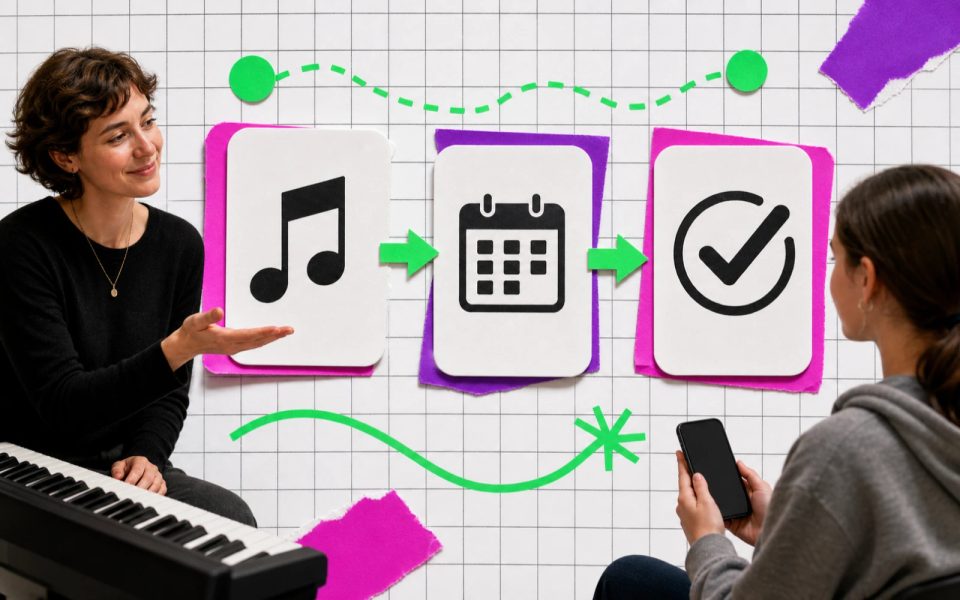
A music teacher website should explain who the lessons are for, what happens in them, what they cost, and how a prospective student takes the next step. Payments can be part of that path, but the public website, scheduling system, payment provider, video lesson tool, and student records are separate jobs.
Map the whole journey before choosing tools. A simple website with an enquiry form and a verified payment link may be enough for one teacher. A busy studio with recurring lessons, staff, rooms, reminders, and cancellations may need dedicated scheduling or studio-management software.
Key points
- Define the lesson offer and target student before designing the site.
- Publish real teaching experience, approved examples, pricing, and policies without guaranteeing outcomes.
- Map enquiry, booking, payment, confirmation, and lesson delivery as separate steps.
- Verify the exact payment provider, region, currency, fees, refunds, tax handling, and confirmation flow.
- Use specialist scheduling software when availability, recurring lessons, reminders, or multiple teachers require it.
- Test the complete student journey on a phone without making an unauthorized live charge.
Define the lesson offer
Start with the student and the problem the lesson solves. “Music lessons for everyone” gives no one enough information to decide.
State:
- instrument or subject;
- level or age range;
- in-person, online, or hybrid format;
- location and time zone;
- individual or group lessons;
- typical lesson length;
- language of instruction;
- teaching approach;
- availability or next intake;
- the first action.
A clear example might be:
Online piano lessons for adult beginners who want to read lead sheets, build reliable practice habits, and play complete songs without preparing for graded exams.
That sentence helps the right student self-select. It also tells the teacher what evidence, policies, and booking options the page needs.
Show experience without promising results
Publish facts that help a student or parent evaluate fit:
- relevant training and teaching experience;
- genres or methods taught;
- instruments and formats;
- approved performance or teaching clips;
- safeguarding or background information where relevant and appropriate;
- accessible teaching options;
- languages;
- studio location or online setup.
Avoid guarantees such as “play confidently in four weeks” unless a precise, substantiated program supports the claim. Student progress depends on goals, starting point, practice, attendance, health, access, and many other factors.
Use testimonials only with permission. Do not expose a child’s name, image, school, or private progress without the required consent.
Publish pricing and policies clearly
Pricing is easier to understand when the unit and conditions are visible. State:
- price and currency;
- lesson length;
- single lesson, package, term, or subscription;
- what is included;
- payment timing;
- cancellation and rescheduling policy;
- late-arrival treatment;
- refund conditions;
- expiry of packages or credits;
- taxes or fees where applicable;
- trial or consultation terms.
Do not hide material conditions until checkout. If pricing varies by format or level, show the basis or invite an enquiry before payment.
Policies should be written for ordinary people. A clear cancellation sentence near booking is more useful than a dense document nobody sees until a dispute.
Map the music lesson booking and payment flow
Write the journey as a sequence:
- Discover the teacher
- Check lesson fit
- Enquire or choose an available time
- Receive or accept the relevant terms
- Pay through a verified provider
- Receive confirmation
- Attend the lesson
- Manage changes through the stated route
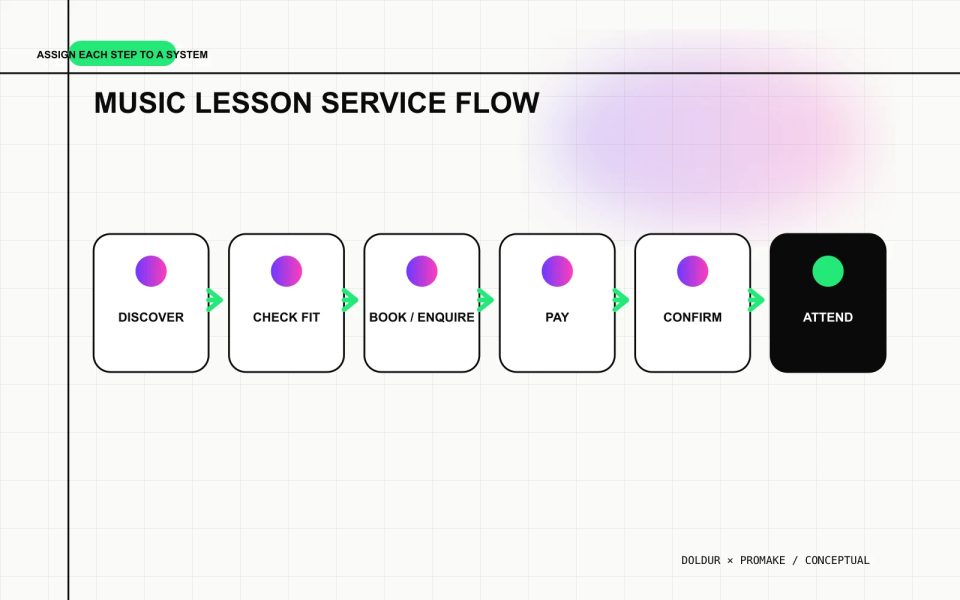
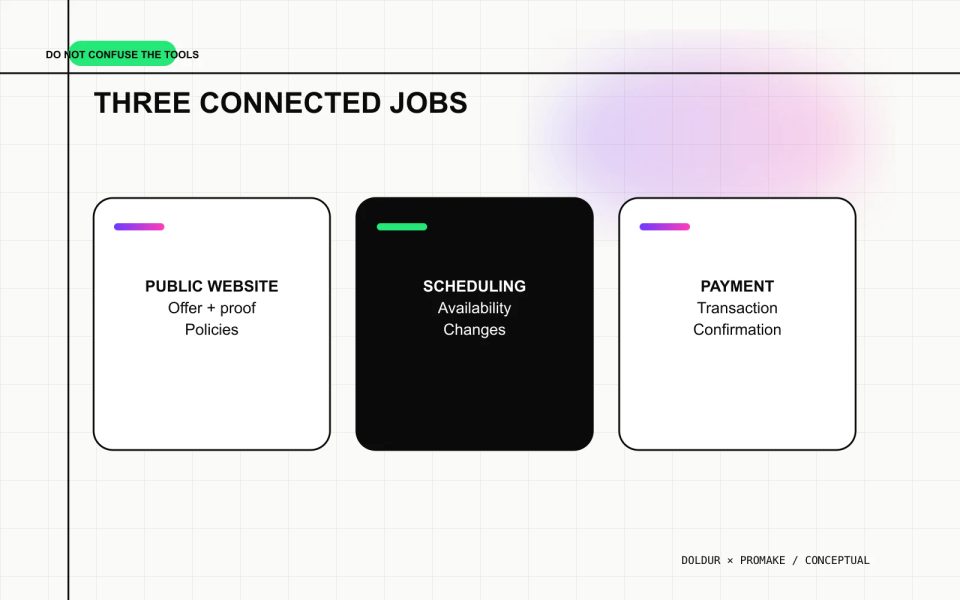
Assign each step to a system. The public website explains and routes. A scheduler controls real availability. A payment provider handles the transaction. Email or studio software may deliver confirmation. A video platform or physical studio handles the lesson.
One tool may combine several functions, but do not assume that because a website accepts payments it also manages calendars, recurring lessons, reminders, attendance, student notes, or video calls.
Choose enquiry-first or booking-first
An enquiry-first flow is useful when the teacher needs to assess level, goals, location, accessibility, instrument access, or schedule fit before offering a slot. Keep the form short and explain when the teacher will reply.
A booking-first flow works when lesson types, availability, duration, price, and policies are standardized. The calendar must reflect real availability and handle time zones correctly.
Do not show open slots that are not genuinely available. Do not collect payment before the student understands what is being purchased. For minors, confirm the appropriate parent or guardian process.
Use specialist scheduling when the timetable needs it
Dedicated scheduling or studio-management software becomes useful when the teacher needs:
- live availability;
- recurring appointments;
- multiple teachers or rooms;
- time-zone conversion;
- automatic reminders;
- cancellation windows;
- waiting lists;
- package or attendance tracking;
- student records;
- calendar synchronization;
- lesson resources or invoicing.
Compare products against the actual workflow. A solo teacher with six weekly students may not need a complex studio system. A multi-teacher school should not rely on a manually updated button that can double-book a room.
Verify payment integration before launch
Promake’s public pricing currently lists payment integrations on eligible plans. That statement is not enough to design the complete money flow.
Before accepting a real payment, verify:
- supported provider;
- merchant eligibility and country;
- customer countries;
- currencies;
- card and alternative methods;
- one-time or recurring payment behavior;
- fees and payout timing;
- tax settings;
- receipts and confirmation;
- refund and cancellation process;
- dispute handling;
- privacy and data roles;
- accessibility of checkout;
- test or sandbox options.
Do not claim “secure payments” based only on a lock icon in a design. Use the payment provider’s actual documentation and make sure the public policy matches the configured flow.
Never run an unauthorized live charge to test a draft. Use an approved sandbox, a provider test mode, or a specifically authorized low-risk transaction with a documented refund plan.
Build the public teacher website
A practical one-page structure is:
- Specific lesson offer
- Who the lessons suit
- Teaching approach and experience
- Lesson formats
- Pricing and policies
- Approved examples or testimonials
- Enquiry or booking action
- Payment explanation
- Location, time zone, accessibility, and contact
Use separate pages when several instruments, programs, teachers, or locations need distinct information.
Promake’s public documentation describes conversational website creation, visual editing, hosted publishing, custom domains, professional email, and eligible payment features. It does not establish native scheduling, calendar sync, reminders, recurring lesson management, video calls, student records, automatic refunds, or tax compliance.
Give the builder the approved offer, teacher biography, images, pricing, policies, booking route, payment explanation, and contact. Instruct it not to invent qualifications, student results, testimonials, availability, or provider features.
Use the musician website guide for the build sequence and the musician website pages checklist to keep lesson, policy, and contact information easy to maintain.
If this setup fits, build the public music teacher website with Promake, then connect the verified booking and payment route.
Connect a domain and professional email
A readable domain can make the lesson site easier to recognize in local listings, parent emails, recital programs, or social profiles. A role-based address can keep enquiries separate from personal correspondence.
Confirm current domain and email prices, renewal, mailbox limits, delivery settings, and account ownership. Test messages from an external address and check spam placement. Keep access controlled when more than one person handles enquiries.
Do not publish a home address or private phone number unless the teacher has deliberately chosen to do so and understands the consequences. A service area or general location may be enough before enrollment.
Run the first-student test
Ask an approved tester who has not seen the build to complete the journey on a phone:
- identify whether the lessons fit;
- find price and duration;
- understand cancellation terms;
- choose the correct enquiry or booking route;
- see when payment is required;
- reach the verified checkout;
- understand what confirms the booking;
- find help when something goes wrong.
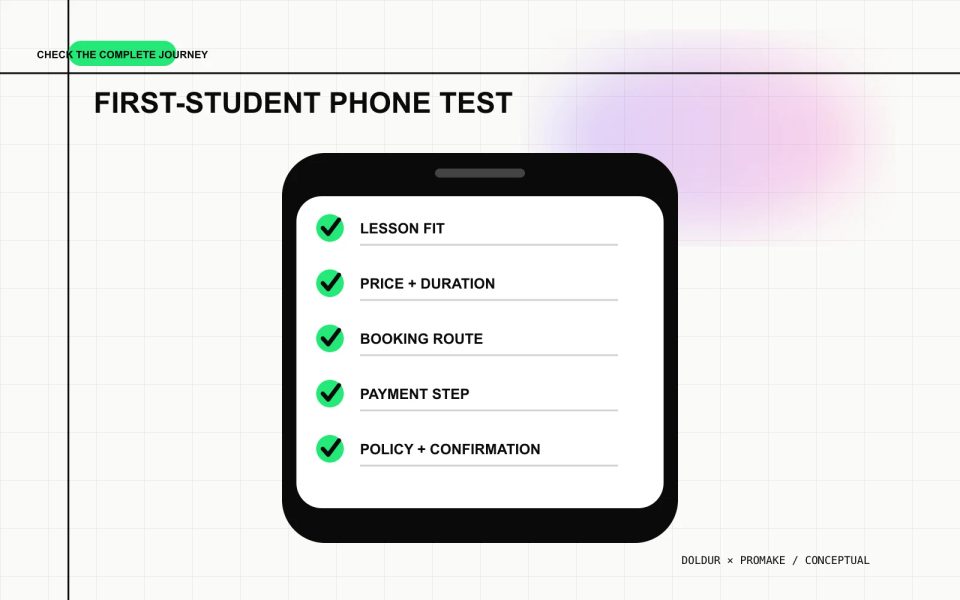
Confirm that the teacher receives the enquiry or booking and that the student sees the expected confirmation. Check time zone, duplicate submission, error, cancellation, and full-calendar states.
Keep the system as small as the teaching practice
The website should make the offer understandable. The scheduler should keep the calendar true. The payment provider should handle money through a verified flow. Add studio software only when the operation needs it.
Clear boundaries reduce missed lessons, confused students, and claims the website cannot support.
FAQs
What should a music teacher website include?
Include the lesson offer, target student, teacher experience, formats, pricing, policies, approved examples, location or time zone, and one clear enquiry or booking route.
Can a music teacher take payments through a website?
Yes, when the chosen builder or connected provider supports the teacher’s country, currency, payment type, and merchant requirements. Verify checkout, fees, refunds, tax, and confirmation before launch.
Do I need separate scheduling software?
Use specialist scheduling when you need live availability, recurring lessons, reminders, time zones, multiple teachers or rooms, cancellations, or calendar sync. A simple enquiry flow may be enough for a smaller practice.
Should lesson prices be public?
Public pricing helps students self-select when the offer is standardized. If scope varies, explain the factors and use an enquiry before payment rather than hiding material conditions.
How should online lesson cancellations work?
Publish a clear cancellation and rescheduling policy before booking. Configure the connected scheduler and payment process to match it, then explain the contact route for exceptions.