
guide
AudioCipher V4 Review: Text-to-MIDI and MIDI Vault
A current AudioCipher V4 review covering text-to-MIDI, MIDI Vault, workflow, compatibility, pricing, limitations, alternatives, and who should buy it.
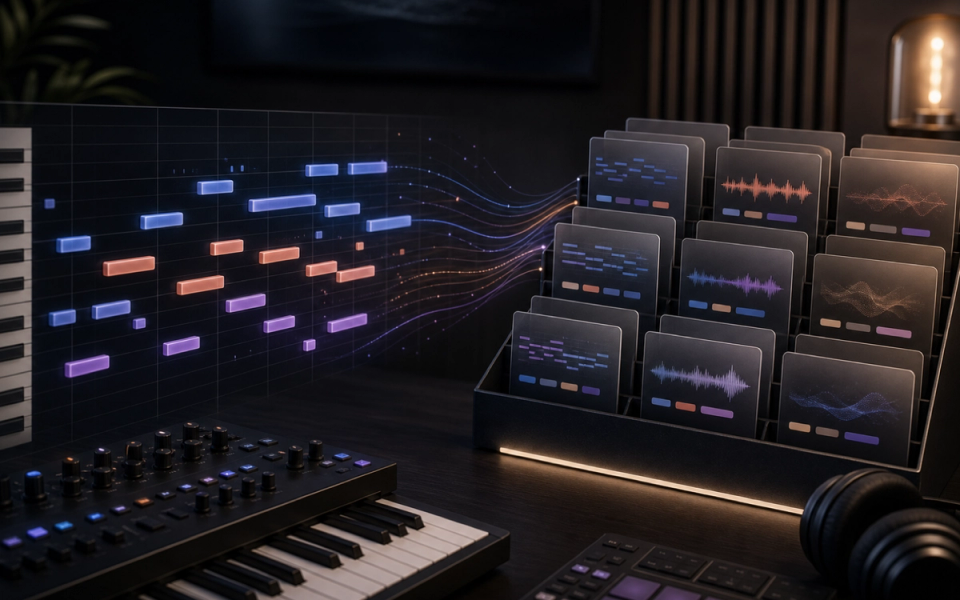
AudioCipher V4 combines a text-to-MIDI idea generator with MIDI Vault, a local organizer for MIDI and audio files. It is aimed at producers who want editable musical starting points inside a DAW, not finished AI songs. Type a word or phrase, choose musical parameters, generate a melody or chord progression, and drag the MIDI into an instrument track where every note can be changed.
The current version is best understood as a focused composition utility and file-management app. It can make the blank page less intimidating and help retrieve old ideas, but it does not understand a prompt the way a large generative model does, arrange a complete track, synthesize audio, mix a song, or replace musical judgment. This review covers the current feature set, workflow, compatibility, price, limitations, and the producers most likely to benefit.
AudioCipher V4 at a glance
- Best for: producers who want quick, editable MIDI seeds and a searchable local library for audio and MIDI ideas.
- Main outputs: MIDI melodies and chord progressions; audio files can be stored alongside MIDI in Vault cards.
- Formats: standalone app plus VST3 on Mac and Windows, with AU on Mac.
- Platforms: Windows 10 and macOS 10.15 or later according to the current product pages; mobile and tablet are not supported.
- Current listed price: $79.99 sale price, down from $99.99, checked July 19, 2026. The product is a one-time purchase rather than a subscription.
- Main trade-off: the text becomes a controllable musical cipher, not a semantic description of a complete song.
What AudioCipher actually does
AudioCipher converts letters or phrases into note material, then lets the user shape the result with key, scale, rhythm, chord, tempo, triplet, randomization, note-joining, and inversion controls. The result remains MIDI, so the producer chooses the instrument, sound design, voicing, timing, velocity, arrangement, and final audio. This makes it materially different from text-to-audio systems that return a rendered clip.
The distinction matters for both expectations and workflow. “Dark cinematic pulse” is not a request that AudioCipher interprets as orchestration, timbre, and emotional direction. The phrase supplies material to a musical mapping system. The user then decides whether that material becomes a bass line, topline, arpeggio, chord bed, counter-melody, or nothing at all.
MIDI Vault is the other half of V4
MIDI Vault stores MIDI and audio together in cards. Cards can carry BPM, key, mood, genre, instrument, rating, stage, and notes. Producers can filter and search those tags, preview material, drag files back into a DAW, bulk-import an existing collection, and export collections for sharing. AudioCipher’s AUCI format packages Vault collections, while the company’s sample packs also include conventional folders for people who do not use the Vault.
This solves a different problem from generation: musical fragments often disappear into project folders with names that no longer mean anything. A card that keeps the MIDI blueprint, bounced audio, metadata, and a note about rights or intended use together can make an idea reusable. The value grows with disciplined tagging; without consistent metadata, any library eventually becomes another folder.
A practical AudioCipher workflow
- Open the standalone app or insert the plugin on a MIDI-capable track. Confirm the DAW scans the correct VST3 or AU location.
- Enter a short word or phrase. Treat it as a seed identifier, not a natural-language production brief.
- Set key and scale to match the project. Choose whether you need a melody or chord progression, then adjust rhythm, BPM, triplets, note joining, and inversions.
- Generate several variations and audition them through the same instrument. Keep sound design constant so you are comparing note material rather than presets.
- Drag the best MIDI clip into the DAW. Edit range, rhythm, velocity, octave, chord voicing, repetition, and phrase length until it behaves like part of the song.
- Bounce an audio preview, save the MIDI and audio to one Vault card, and add useful metadata plus a note describing what changed after generation.
- Revisit the card after the arrangement develops. The original seed may work better as a counterline or bass pattern than in its first role.
The strongest habit is to generate less and edit more. Ten carefully compared variations followed by decisive rewriting usually creates a clearer musical identity than hundreds of unlabelled clips.
Compatibility and installation
AudioCipher V4 includes Mac and Windows installers and a standalone application. The current product page lists VST3 for both platforms and AU for Mac. AudioCipher names Ableton Live, Logic Pro, FL Studio, Reaper, Reason 13, GarageBand, and Studio One among compatible hosts. A DAW that supports the installed plugin format and MIDI drag-and-drop should fit the intended workflow, but producers should verify their exact DAW and operating-system version before purchase.
The Mac product page places the standalone app in Applications, the plugin in the standard Audio Plug-Ins folders, and the Vault under Documents/AudioCipher. The Windows installer places the application under Program Files, the VST3 in the standard Common Files VST3 directory, and Vault data under the user’s Documents folder. Mobile and tablet devices are not supported. The 245 MB download includes a getting-started guide and a demo collection.
AudioCipher pricing and purchase terms
On July 19, 2026, AudioCipher’s official storefront listed V4 at $79.99 on sale, with a $99.99 regular price. The homepage describes it as a one-time purchase with no subscription. Prices and promotions can change, so readers should verify the checkout page rather than relying on a cached review. The storefront also states that digital-product sales are final and warns that PayPal review may delay delivery.
The one-time model can suit producers who dislike recurring generation credits. The economic comparison is not only purchase price: include whether you already own MIDI tools, how much time you lose finding old ideas, and whether Vault replaces an existing sample manager. A low subscription count is not a benefit if the plugin does not solve a real workflow problem.
What AudioCipher does well
- Editable output. MIDI keeps pitch, rhythm, voicing, instrumentation, and arrangement under the producer’s control.
- Fast constraints. Key, scale, BPM, rhythm, note joining, and inversions can shape a seed before it reaches the DAW.
- Local workflow. The company states that Vault files are stored locally and the application can work without an internet connection.
- Idea continuity. Cards connect a MIDI blueprint, rendered audio, tags, notes, rating, and development stage.
- No prompt-engineering dependency. A producer can return to the same phrase-based process without learning a changing cloud model.
Limitations and trade-offs
- It does not generate a finished song or audio performance. You need a DAW, instruments, arrangement, and production skills.
- Text-to-MIDI is not semantic text-to-music. The emotional meaning of a phrase does not automatically become orchestration or style.
- Generated notes still need authorship. Strong results depend on selection, editing, voicing, sound design, and context.
- Vault requires metadata discipline. Tags only become useful when producers apply them consistently.
- There is no current mobile or tablet version, and official compatibility starts at the platform versions listed by AudioCipher.
- The store’s all-sales-final policy makes compatibility checking important before buying.
Is AudioCipher an AI music generator?
AudioCipher is often grouped with AI songwriting tools because it turns text into musical material, but the company’s current editorial material describes the MIDI method as a musical cryptogram and says the software is not trained on unlicensed music. It is more accurate to call it a text-to-MIDI generator and local idea manager than a full generative-AI song system.
That narrower definition is a strength for producers who want symbolic material they can inspect. It is a limitation for anyone expecting vocals, lyrics, a mix, genre-aware arrangement, or audio matching a natural-language description.
Alternatives to consider
Use your DAW’s stock MIDI devices if you mainly need arpeggiation, chord memory, scale constraints, probability, and generative sequencing. Choose a dedicated composition assistant if you want theory-led chord suggestions or harmonization. Choose a text-to-audio service if the goal is a rendered sketch rather than editable notes. Choose a sample manager if retrieval and tagging matter more than phrase-to-MIDI generation.
Doldur Music’s LoopLM review covers generated loop material, while the BandLab SongStarter guide addresses browser-based song ideation. The AI music trends hub provides the broader market context. These are different jobs, so the best alternative depends on whether you need MIDI control, audio inspiration, or a complete sketch.
Who should buy AudioCipher V4?
AudioCipher makes the most sense for a DAW-based producer who regularly starts with MIDI, likes constraints, wants to edit every note, and has a growing archive of loops and sketches. It is particularly relevant when the retrieval problem is as painful as the blank-page problem. Producers who finish ideas by rewriting rather than accepting the first output will get more from it.
Skip it if you want complete songs from prompts, need mobile creation, rarely use MIDI, already have a reliable tagging system, or expect the typed phrase to control mood and production semantically. A conventional MIDI effect chain may cover enough of the generation side, while a dedicated sample manager may cover the library side.
Common questions
Does AudioCipher work without the internet?
The current homepage says files are stored locally and no internet connection is required for the core Vault workflow.
Can AudioCipher generate audio?
The generator outputs MIDI. You assign an instrument in the DAW and can store bounced audio beside the MIDI inside a Vault card.
Is AudioCipher a subscription?
The current V4 listing is a one-time purchase. The checked sale price was $79.99 on July 19, 2026, but readers should verify the live storefront.
Which plugin formats are included?
The official technical specs list VST3 on Windows and Mac, AU on Mac, and standalone applications for both platforms.
Does AudioCipher replace music theory?
No. Constraints can keep notes inside a selected system, but choosing tension, voice leading, form, rhythm, orchestration, and development remains the producer’s work.
Verdict
AudioCipher V4 is a focused tool for turning phrases into editable MIDI seeds and keeping those seeds connected to their audio renders. Its value is not autonomous songwriting; it is a repeatable constraint, fast handoff to the DAW, and a local archive that can make unfinished ideas findable. Buy it for that workflow. Do not buy it expecting a semantic text-to-song engine or a substitute for arranging and editing.
Sources and further reading
- AudioCipher — MIDI Vault homepageCurrent feature overview, compatibility, local storage, and listed sale price.
- AudioCipher V4: MIDI Vault product pageFeature list, technical specifications, regular and sale pricing, download size, and purchase terms.
- AudioCipher FAQs and guidesVault workflow, AUCI collection format, installation, import, and troubleshooting guidance.
- AudioCipher Getting Started guideInstaller locations and the current MIDI Vault card workflow.