guide
Best AI Stem Splitters: A Practical Comparison
Compare current stem splitters by workflow, privacy, output control, rights, and cost—then choose the right tool for your actual production task.
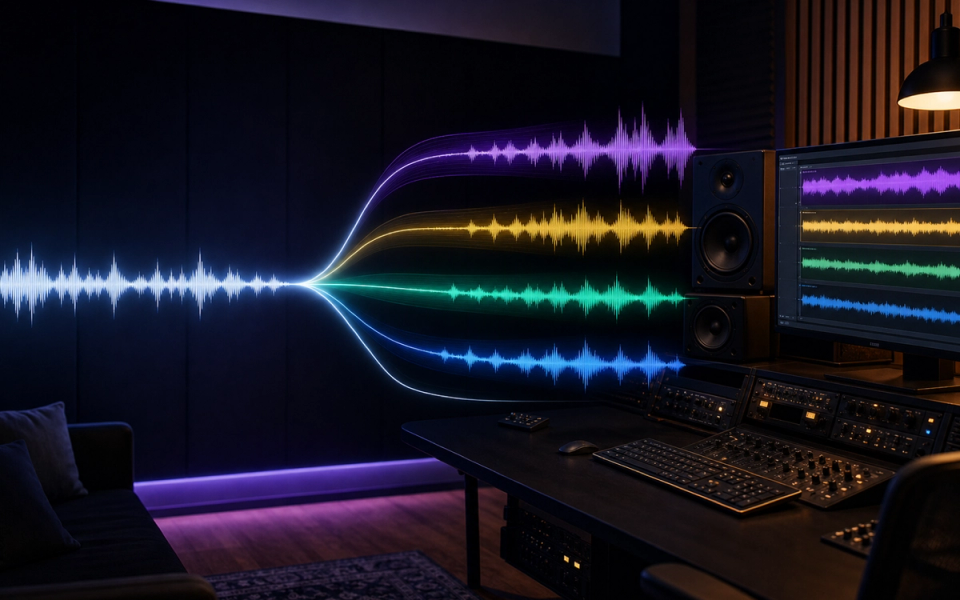
The best AI stem splitters are not interchangeable. A producer preparing a remix needs editable files and repair tools; a musician learning a bass line needs fast playback controls; a catalog owner may need an API, security review, and several instrument classes. Choosing by a single “best quality” claim ignores the workflow that determines whether the separated audio is actually useful.
Doldur Music’s own Search Console export supports treating this as a core subject: visible stem-separation queries produced 2,260 impressions in the supplied period. That demand also matches the questions readers ask after opening our AI stem separation guide: which tool should I use, what will it extract, and what happens to my audio?
Key points
- Use a DAW-native splitter when speed, offline processing, and session recall matter most.
- Use a repair suite when the separated vocal or instrumental must survive exposed listening.
- Use a web or mobile service for convenience, practice, and occasional exports—but check upload handling first.
- Use an open-source model when local control and repeatable batch processing outweigh setup time.
- Never treat an estimated stem as equivalent to the original multitrack recording.
- Tool access does not give you copyright permission to release, sample, or monetize the result.
How this comparison works
This is a practical, evidence-led comparison, not a laboratory shootout. We reviewed current official documentation for output types, platform support, processing location, workflow controls, plan structure, and published limitations. We did not run an identical private test set through every service, so we do not invent a universal sound-quality winner.
That distinction matters because separation performance changes with the recording. Dense masters, doubled vocals, distorted guitars, stereo reverbs, shared frequency ranges, and aggressive limiting all make the estimation problem harder. A result that works for rehearsal may expose distracting swirls, leakage, or missing transients when used as a solo vocal.
Use the shortlist below to choose a first candidate, then evaluate it with material you have the right to process.
Ableton Live: best for an integrated offline workflow
Ableton Live 12 can perform stem separation inside the DAW. Ableton describes stem separation and music source separation as the same analysis process: the software detects spectral and temporal characteristics and creates estimated component parts. Its manual says the feature can operate without an internet connection and offers speed and quality modes.
That makes Ableton a strong first choice for Live users who want to sketch arrangements without uploading a master to a third party. You can request only the parts you need, keep the clips beside the original, and move immediately into warping, slicing, resampling, or arrangement work.
The advantage is not that DAW integration guarantees perfect extraction. The advantage is fewer workflow breaks. You avoid downloading a zip, relabeling files, importing them, checking start points, and reconstructing the session. For producers who separate often, those saved steps can matter more than a small difference between models.
Choose Ableton when you already use Live, require offline processing, or need fast iteration. Look elsewhere when you need detailed spectral repair, enterprise-scale processing, or a practice environment with lyrics and tempo tools.
Logic Pro Stem Splitter: best for Apple-native production
Apple’s Stem Splitter works directly on audio regions in Logic Pro and can create parts for vocals, drums, bass, guitar, piano, and other material. Apple’s current documentation specifies an M1 or later Apple silicon Mac for the feature.
For compatible Logic users, the appeal is similar to Ableton: the source and estimated parts remain in the production environment. You can move from a reference mix to a rehearsal instrumental, rearrangement, or restoration experiment without a separate subscription service.
Hardware compatibility is the first filter. If your Mac does not meet the requirement, the feature is not a practical recommendation regardless of its capabilities. The second filter is the task. Logic is excellent for production continuity, but it is not a dedicated catalog API or a full forensic repair environment.
Choose Logic when you already produce on Apple silicon and want an integrated six-part workflow. Do not buy a new computer solely because a generic roundup declares one splitter the winner; compare the total cost with the separation and repair work you actually perform.
iZotope RX Music Rebalance: best when repair follows separation
iZotope positions Music Rebalance inside RX as a way to adjust vocals, bass, percussion, and other elements, create instrumentals or vocal stems, and work offline or in real time. RX also supplies repair modules around that separated material.
This surrounding toolset is the reason to consider RX. Separation is often only the first pass. An exposed vocal may need spectral cleanup, de-bleeding, gain edits, de-clicking, or careful attenuation of a short artifact. A tool that lets you inspect and repair the problem can be more useful than one that simply exports four files.
RX is a better fit for restoration, post-production, archive work, and high-value edits than for someone who only wants to mute vocals during practice. It also demands more engineering judgment. Repair can reduce an artifact, but aggressive processing can damage consonants, ambience, or transients.
Choose RX when the output must be edited in detail and you expect to inspect failures rather than accept a one-click result.
Moises: best for practice and musician utilities
Moises combines stem separation with musician-focused functions including tempo changes, chord and lyric views, setlists, recording, and DAW access. Its official materials describe both simpler vocal/instrumental splits and broader instrument options that vary by plan.
This makes Moises easier to recommend for rehearsal, transcription support, lessons, and preparing backing tracks than a command-line model. A guitarist learning a part may care more about looping, slowing the track, and retaining pitch than about building an automated archive pipeline.
Because features and limits differ by subscription, confirm the current instrument model, export format, upload allowance, and audio quality before paying. Do not assume a free preview includes the same downloadable result as a paid plan.
Choose Moises when separation is one step in a practice or learning workflow. For sensitive unreleased masters, review current privacy and data-handling terms before uploading.
LALAL.AI: best for a focused browser workflow
LALAL.AI provides a browser-based splitter with a free starter option for evaluating the service and paid plans or top-ups for more processing. Its official page lists selectable stem types and current plan limits.
The service is convenient when you do not want to install production software. Upload, select the desired separation, preview the result, and decide whether it is suitable. That is useful for occasional vocal removal, quick instrument extraction, and checking whether a difficult source is worth processing further.
The tradeoff is inherent to a cloud workflow: the audio leaves your workstation. For released material that may be acceptable; for an unreleased artist master or confidential catalog, it may require a separate approval. Confirm retention, deletion, account, and commercial terms at the time of upload.
Choose LALAL.AI for occasional, focused browser processing. Do not choose it merely because a free tier exists; check whether the tier includes the download and duration you need.
Demucs: best for local control and automation
Demucs is an open-source music source separation model. Its repository documents a common four-part output—drums, bass, vocals, and other—plus an experimental six-source option. It can produce WAV files, run locally, and support command-line batch workflows.
Demucs is attractive when you want repeatability, local processing, and control over file handling. A developer or technically comfortable producer can process a folder, preserve naming rules, and build the model into an internal pipeline without uploading audio to a consumer website.
The cost is setup and maintenance. The original Meta repository states that it is no longer actively maintained and points to a fork for important fixes. The documentation also warns that the experimental piano result is weaker and that some quality options require substantially more processing time. Local does not automatically mean simple.
Choose Demucs when privacy, automation, and open tooling matter more than polished onboarding. Record the model and settings used so results can be reproduced later.
AudioShake: best for catalog and developer workflows
AudioShake focuses on professional separation for labels, publishers, catalog owners, app builders, sync, immersive audio, lyric alignment, and related workflows. Its official product documentation describes more instrument categories and developer models than a basic consumer vocal remover.
That scope is useful when the job is larger than one track. A catalog project may need consistent deliverables, an API, lyric timing, quality control, and commercial support. Those requirements justify evaluating an enterprise-oriented service even when a local splitter can produce a rough four-stem result.
AudioShake is less relevant to a hobbyist who only needs one rehearsal instrumental. Pricing and access may depend on the business use case, so request current information rather than relying on a stale number in a roundup.
Choose AudioShake when separation is part of a catalog, sync, localization, or application pipeline.
A selection matrix that is actually useful
Start with the environment you already have:
- Ableton Live user: try Live’s offline tool before adding another service.
- Logic Pro user on Apple silicon: try Stem Splitter inside the project.
- Restoration or post-production editor: shortlist iZotope RX.
- Practicing musician or teacher: shortlist Moises.
- Occasional browser user: evaluate LALAL.AI with a representative track.
- Technical local workflow: evaluate Demucs and document the model settings.
- Label, publisher, or app builder: evaluate AudioShake’s catalog and API options.
Then test against the intended use. A solo acapella is more demanding than a quiet vocal under a new arrangement. A drum-learning track can tolerate leakage that would be unacceptable in a sync deliverable. “Quality” only has meaning when attached to an outcome.
How to compare two splitters without fooling yourself
Use the same lossless source file and request the same target parts. Level-match the outputs before listening; louder often sounds better. Check the vocal in solo and in context. Listen to consonants, cymbals, reverb tails, kick attacks, bass sustain, and sections where instruments overlap.
Also perform a reconstruction check. Align all returned parts at the same start point and sum them without extra processing. The result will not necessarily null against the source, but obvious level shifts, timing errors, or missing sections reveal workflow problems.
Finally, score practical factors separately:
- How long did preparation and import take?
- Can you process locally?
- Are the files lossless and correctly aligned?
- Can you request only the needed source?
- Can you repair a short failure?
- What do the current terms say about uploads and outputs?
- Can you reproduce the result six months later?
This prevents a dramatic ten-second demo from outweighing privacy, export, or session problems.
Rights and privacy checks before uploading music
Stem separation changes access, not ownership. If you do not control the composition, master, sample, or performance rights, an extracted vocal does not become free material. Private experimentation, public release, monetized distribution, remix licensing, and machine-learning use are different legal and contractual contexts.
Before processing an unreleased master, identify who owns it and whether a cloud upload is permitted. Read the service’s current privacy policy and terms rather than relying on an old screenshot. For commercial work, save the applicable plan and terms with the project record.
Our AI music licensing guide expands this workflow. The short rule is simple: obtain permission before releasing material built from someone else’s recording.
Verdict
There is no responsible universal winner. Ableton and Logic are the efficient defaults for producers already inside those DAWs. RX is the stronger workflow when separation must be followed by repair. Moises serves practice and learning. LALAL.AI is convenient for occasional browser use. Demucs offers local control for technical users. AudioShake fits catalog and developer requirements.
Choose the smallest tool that completes the real task, test it on representative audio, and keep the original file untouched. If the result will be exposed, licensed, or commercially released, budget for manual quality control and rights review.
Frequently asked questions
What is the best AI stem splitter for vocals?
The answer depends on the source and use. Try a DAW-native option if you already own it, RX when repair matters, or a browser service for a quick evaluation. Compare level-matched results from your own representative audio instead of trusting a universal ranking.
Can an AI stem splitter produce the original studio stems?
No. It estimates sources from a finished mixture. Original stems are exported from the multitrack session before final summing and contain information that a two-channel master no longer exposes directly.
Is a local stem splitter more private?
Local processing can keep the audio on your computer, but privacy still depends on the application, updates, telemetry, backups, and your storage setup. Verify the actual product behavior and policy.
Are free stem splitters good enough?
They can be good enough for learning, demos, and some production tasks. Free plans may restrict minutes, downloads, formats, stem types, or processing priority. Evaluate the final downloadable file, not only the preview.
Can I release a song made with an extracted vocal?
Only if you have the necessary rights and permissions. Separation software does not license the underlying composition, master, or performance.
Sources and further reading
- Ableton Live 12 Manual — Stem SeparationOffline stem separation workflow and speed/quality controls.
- Apple Logic Pro — Stem SplitterLogic Pro workflow, available stem types, and Apple silicon requirement.
- Demucs Music Source SeparationOpen-source model capabilities, outputs, limits, and maintenance status.
- Moises FeaturesStem separation, practice, and DAW workflow features.
- LALAL.AI Stem SplitterCurrent web workflow, supported usage, and published plan information.
- iZotope RX Music RebalanceMusic Rebalance and repair-oriented stem workflow.