guide
How to Make One Music Link for Spotify, Apple Music, and YouTube
Create one manual music link page for Spotify, Apple Music, and YouTube—and know when a specialist smart-link or pre-save service is the better tool.
Disclosure: Doldur Music may earn a commission if you sign up for Promake through links in this article, at no additional cost to you. We describe only features we could verify from current public information.
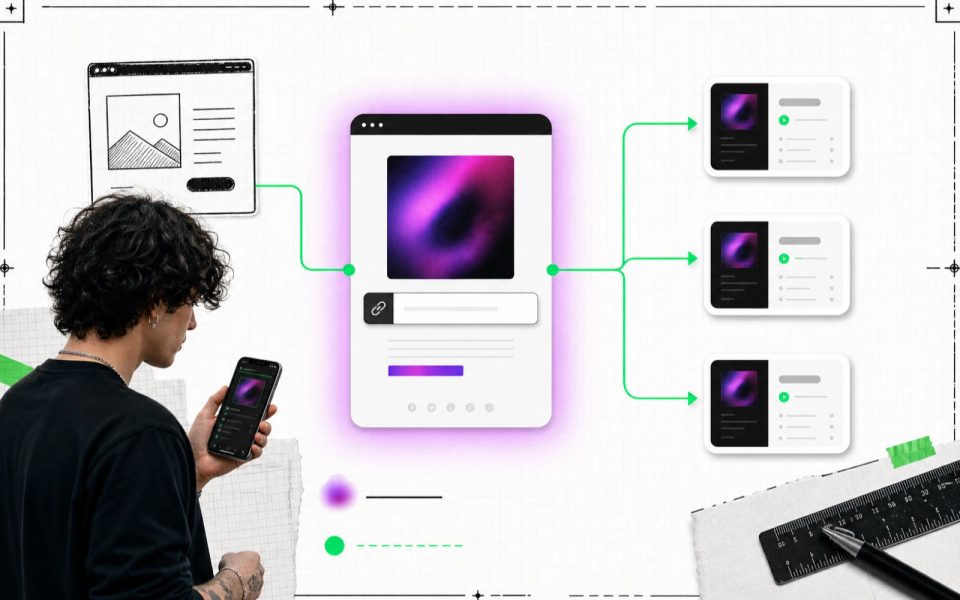
A music smart link is one URL that sends listeners to several music destinations. The simplest version is a manual page with clearly labelled Spotify, Apple Music, YouTube, Bandcamp, or store buttons. More specialized services may add automatic matching, app deep links, pre-save, routing, analytics, or fan capture.
Those versions should not be confused. If you build an owned page and add the destinations yourself, call it a manual multi-platform music link. It can still be useful, attractive, and easy to share without claiming features it does not have.
Key points
- The core reader need is one memorable URL with clear destinations.
- A manual page works when you can collect and maintain the official links yourself.
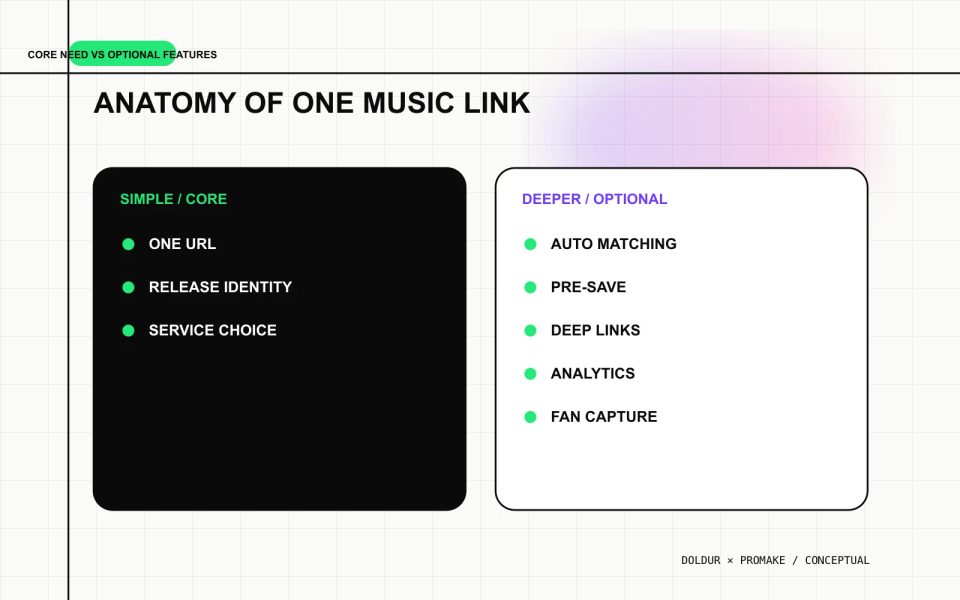
- Automatic matching, pre-save, analytics, and fan data are optional specialist features, not part of the basic definition.
- Label buttons by action and service instead of relying on icons.
- Test the exact release and version on both phone and desktop.
- Use a dedicated music-link provider when campaign automation or measurement matters.
What a music smart link actually does
At its core, a music smart link reduces a set of service URLs to one shareable entry point. A listener opens the page, recognizes the release, and chooses where to continue.
The page usually needs:
- artist and release name;
- artwork;
- a short availability message;
- one button per supported destination;
- a URL that can be used in social profiles, press, email, video descriptions, or QR codes.
Everything beyond that depends on the provider. Some services search catalogues and populate destinations. Some create pre-save actions. Some open native apps, route by country, accept advertising pixels, report campaign events, or collect email addresses.
Do not use the phrase “smart link” as proof that all those features exist. Review the current documentation and plan for the service being used.
Manual music link page vs specialist smart link
The right option depends on the campaign, not on which label sounds more advanced.
Capability
Manual owned page
Specialist music-link service
One shareable URL
Yes
Yes
Manually added service buttons
Yes
Usually
Custom visual structure
Strong
Provider dependent
Owned artist domain
Straightforward
Provider dependent
Automatic catalogue matching
Not inherent
Provider dependent
Pre-save or pre-add
Not inherent
Provider dependent
App deep links
Not inherent
Provider dependent
Campaign analytics
Requires another tool
Provider dependent
Fan-data capture
Requires a consent-aware tool
Provider dependent
Maintenance
Artist updates links
Provider may automate some changes
A manual page gives the artist control over layout, context, and durable URLs. A specialist service may reduce setup work and provide campaign-specific functions. Neither is universally better.
Gather the official music destinations
Start with the final release information:
- exact artist name;
- exact title and version;
- approved artwork;
- release date;
- one-sentence context;
- verified service URLs;
- approved buying or video destinations;
- a fallback artist or release page.
Open every destination outside an authenticated account. Confirm that the URL lands on the correct release, not a search page, artist profile, unofficial upload, clean version, remix, or similarly titled song.
If one service is not ready, leave it off. A smaller list of correct links is better than a complete-looking page with broken destinations.
Build a manual multi-platform music link
The workflow has six steps:
- Create a permanent release page.
- Place artwork and release identity at the top.
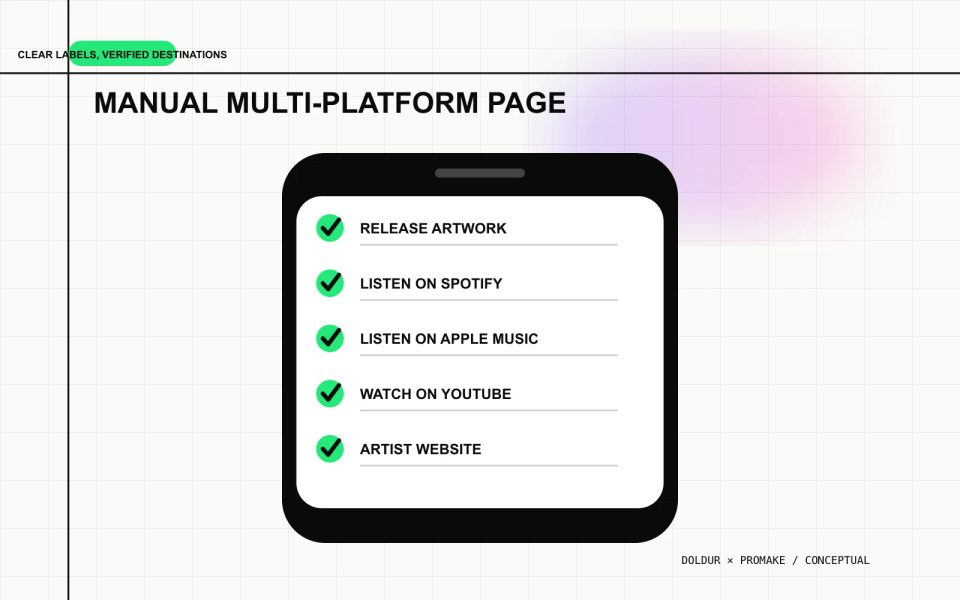
- Add clearly labelled destination buttons.
- Order destinations for the actual audience.
- Add a small amount of useful context.
- Test, publish, and maintain the page.
1. Use a stable URL
Choose a release path that remains sensible after the launch, such as /music/title/. Avoid tracking parameters, dates, “new,” or “pre-save” in the canonical URL.
The page can change from pre-release information to live listening links while keeping the same address. That allows old posts, press coverage, and QR codes to keep working.
2. Establish the release immediately
Show the artist name, release title, artwork, and availability before the destination list. A visitor should be able to confirm that they have opened the right page in a glance.
Keep the image file sharp but compressed. Add alternative text that describes the artwork instead of repeating a keyword.
3. Label every destination
Use complete labels:
- Listen on Spotify
- Listen on Apple Music
- Watch on YouTube
- Buy on Bandcamp
- Order the vinyl
Do not use a row of unlabelled icons. Service marks can be unfamiliar, change over time, or become difficult to interpret for assistive technology. Text also makes accidental routing less likely.
4. Order links with evidence
Put the campaign’s main destination first. If the artist knows that most fans use one service, reflect that. If not, choose a neutral order and review it later.
Do not manufacture a “recommended” platform. The page should respect listener choice while making the current campaign priority visible.
5. Add context only when it helps
One or two sentences can explain the release, collaboration, video, physical edition, or larger project. Keep the link choice near the top. A listener who came to press play should not have to read a full biography first.
Link back to the artist’s owned website, catalogue, or contact route. The Doldur Music release catalogue illustrates how a release can remain connected to artist and credit information.
6. Publish and maintain it
Test every button on a phone and desktop. Check the artwork, title, version, loading speed, focus state, social image, and canonical URL. Recheck the links after release day and when a service changes its destination.
Add an owner and an update trigger to the campaign plan. “The team will remember” is not a maintenance process.
When to use a dedicated smart-link service
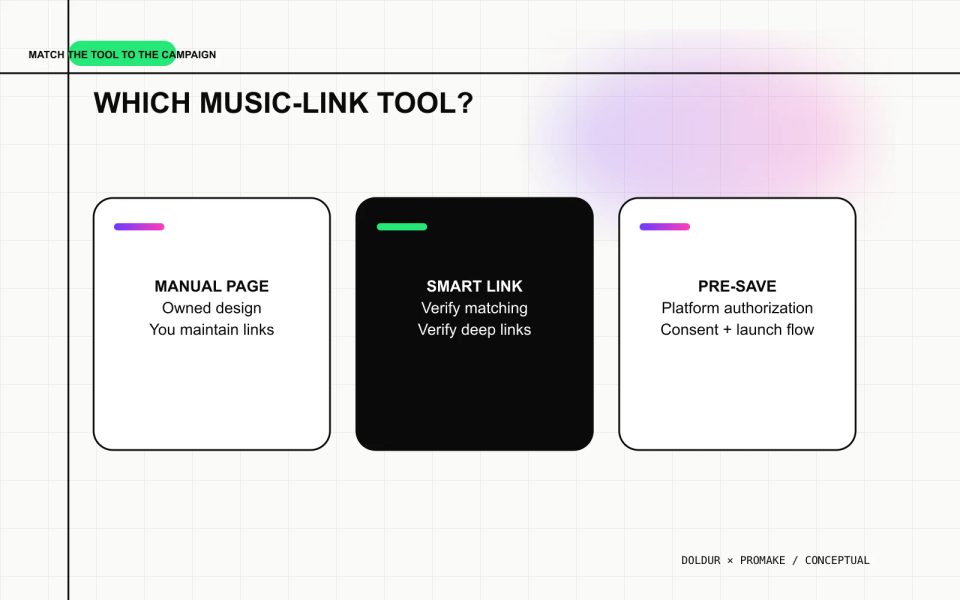
Choose a specialist service when the campaign needs a function that a manual page does not provide.
Automatic matching
Automatic catalogue matching can reduce the work of finding and updating service destinations. Verify which services, countries, formats, and versions are supported. Matching the wrong recording is worse than omitting a button.
Pre-save and pre-add
Pre-save or pre-add requires platform authorization and provider support. Review the listener consent screen, requested permissions, supported services, privacy policy, and what happens after release. A normal website form or “Remind me” button is not automatically a pre-save.
Deep linking and routing
Deep links may open a mobile app, while geo or device routing may change the destination. Check fallbacks for unsupported devices and territories. The public page should still make sense when the smart behavior fails.
Analytics, pixels, and fan data
Campaign measurement and fan capture create privacy and consent responsibilities. Confirm what is collected, who controls it, which third parties receive it, and how a visitor can understand the choice. Do not add tracking simply because the plan includes it.
How Promake fits the one-link workflow
Promake’s public documentation describes an AI website builder, hosted publishing, domain management, professional email, visual editing, and paid-plan payment or commerce features. Those capabilities can support an owned release landing page with manually added platform destinations.
The public material reviewed for this article does not establish automatic music-service matching, short-link creation, app deep linking, pre-save, streaming analytics, or fan capture. Do not describe a Promake page as a universal resolver or song-link generator without new evidence.
To build the manual page, give Promake:
- the verified artist and release identity;
- the artwork and alternative text;
- the exact service labels and URLs;
- the order of buttons;
- a one-sentence release description;
- the artist-site and contact routes;
- a rule not to invent availability, credits, quotes, or metrics.
Use the musician website guide for the owned layer, the release landing-page guide for campaign structure, and the website-versus-link comparison when choosing the format.
If that is the page you need, create your manual music link page with Promake. If you need pre-save, automatic matching, or campaign analytics, choose a service that documents those features and connect it to the owned page.
One link should reduce uncertainty
The page succeeds when a listener can identify the release, choose a destination, and arrive at the right version without hesitation. That outcome does not require every advanced feature.
Build the manual version when control and clarity are enough. Use a specialist provider when automation, authorization, or measurement is part of the campaign. Name the result honestly either way.
FAQs
What is a music smart link?
It is one URL that routes listeners to multiple music destinations. Features such as automatic matching, app deep links, pre-save, analytics, and fan capture vary by provider.
Can I make one link for Spotify and Apple Music myself?
Yes. Create an owned landing page and add verified buttons for each service. Maintain the destinations manually and avoid calling it automatic if no matching or routing system exists.
Is a manual music landing page a smart link?
It satisfies the core “one URL, many destinations” need, but it may be clearer to call it a manual multi-platform music link. That wording separates it from specialist automation.
Do music smart links include pre-save?
Some providers include pre-save or pre-add; others do not. Check supported services, permissions, regions, privacy terms, and plan details.
Should I use a short URL?
A short URL can be convenient in print or social bios, but it creates another redirect to maintain. Use a recognizable permanent domain when possible, and test every redirect before distributing a QR code.