guide
BandLab SongStarter Tutorial: From Idea to Track
Generate a SongStarter seed, move it into BandLab Studio, replace its defining musical elements, add original writing and performance, and document the rights trail.
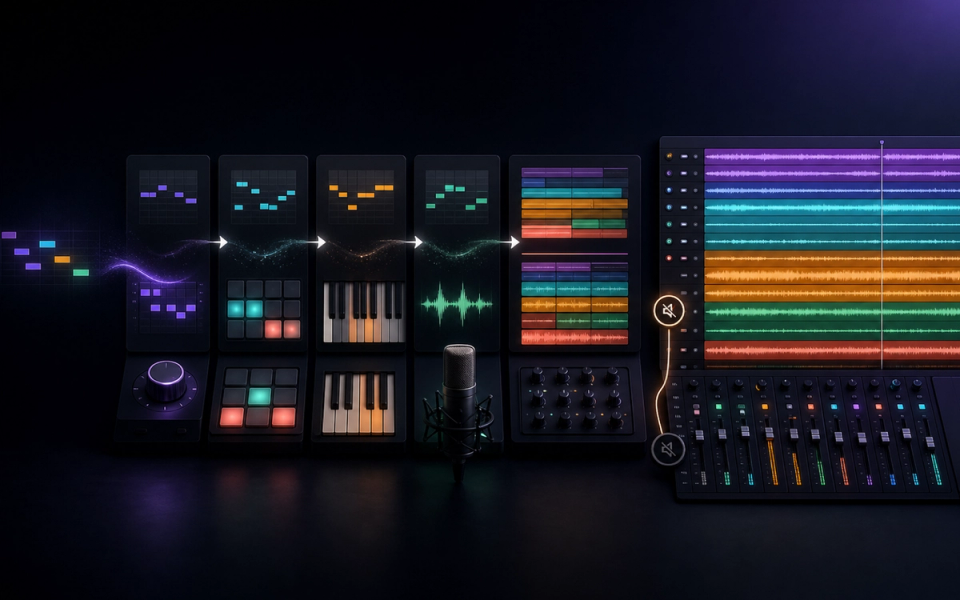
BandLab SongStarter is best used as a temporary seed, not a finished backing track. Generate a direction, move it into Studio, identify the part that inspired you, then replace the defining hook, drums, harmony, structure, and performance with deliberate choices.
That workflow matters for both creativity and rights. BandLab’s current help page says you do not own the rights to the generated SongStarter track, although you can use it without paying fees or royalties to the original creator. Editing the project is not an automatic ownership switch. This tutorial therefore separates permitted use of the seed from the original material you write and record around it.
What SongStarter currently does
On web or mobile, SongStarter generates pre-made customizable ideas. BandLab’s July 18, 2026 help update documents controls for genre, mood, tempo, key, and three variations. You can regenerate, save the idea as a project, or open it in Studio.
Use SongStarter when the blank page is the problem. Do not use it to avoid deciding what the song is about, who performs it, or why the arrangement should change.
Before you generate: write a six-line brief
Set constraints before hearing a result:
- Song premise: one sentence describing what changes.
- Narrator and listener: who is speaking to whom.
- Genre and adjacent influence: use musical attributes, not a request to copy an artist.
- Tempo range and key range: choose what fits the performer.
- Energy curve: where the song becomes larger, smaller, or stranger.
- Replacement goal: name the elements you commit to rewriting yourself.
Example: “A tense electronic-pop song about deleting a message before sunrise; first-person vocal; 102–108 BPM; minor key; sparse verse, wide final chorus; replace the lead motif, drums, bass, and section structure.”
The replacement goal prevents the generated idea from becoming permanent merely because it arrived first.
Step 1: open SongStarter
On the web, BandLab says to choose Create and then SongStarter, or open it from More Products. Inside Studio, it can also be selected from the Discover tab.
On mobile, open the Create tab, find the Tools section, and choose SongStarter. Interface labels can move, so use BandLab’s current help article if the navigation changes.
Step 2: set genre, mood, tempo, and key
Choose the nearest useful genre, then set mood, tempo, and key. These are constraints, not a complete creative brief.
Pick a key for the singer or instrument you will actually record. A generated loop that sounds exciting but sits outside the vocal range creates unnecessary rewriting later. If the melody will be replaced, prioritize harmonic register and groove over the seed’s lead line.
Use tempo to test performance, not just genre convention. Speak or sing the chorus lyric against the click. If consonants feel rushed or the phrase loses breath, change the tempo before arranging.
Step 3: compare the three variations fairly
SongStarter exposes three variations and a regenerate control. Do not select the loudest or busiest preview automatically.
Score each candidate from one to five on:
- Space for the vocal.
- Groove that supports the lyric stress.
- Harmony that can survive a rewritten melody.
- Register separation between bass, chords, and lead.
- Potential for contrasting verse and chorus.
- Ease of replacing the defining hook.
Choose the candidate with the best structural opportunity, not the one that sounds most finished. A dense seed leaves fewer places for your authorship to enter.
Step 4: save a source project and a working copy
Use Save as Project or Edit in Studio. Immediately duplicate the project.
Keep one untouched source version named with the date, genre, mood, tempo, key, and variation number. Use the second copy for writing. This gives you a clean reference and a record of which material came from SongStarter.
Add a project note with:
- Generation date.
- SongStarter settings.
- Screenshot or project link.
- BandLab plan.
- Link or saved copy of the applicable rights note.
- Elements you intend to replace.
Step 5: identify the seed’s components
Before changing sounds, label every track by function: drums, percussion, bass, chords, lead, texture, vocal-like element, and effect.
Mute each track and listen to what disappears. Write down which element carries the identity. It is often the lead motif, drum pattern, chord rhythm, or bass movement—not the preset itself.
Also map the harmony. If exact chord names are unclear, identify bass notes, phrase length, and where tension resolves. You need enough understanding to change the song intentionally.
Step 6: replace the defining hook
Do not merely switch the instrument on the original motif. Rewrite at least two musical dimensions:
- Change the rhythm while keeping a few anchor pitches.
- Change the contour and final note.
- Move the phrase across the bar line.
- Use a different number of notes.
- Turn the lead into a call-and-response.
- Convert the hook from audio to a newly performed MIDI or recorded part.
Sing or play several alternatives without hearing the seed lead, then choose the one that supports the premise. If every new idea collapses when the old hook is muted, the composition is still dependent on the seed.
Step 7: write a new chord or bass relationship
The entire harmony does not need to become complicated. Change one functional relationship that affects the emotional direction: delay the resolution, use a pedal bass, invert a chorus chord, remove a chord under an important lyric, or change harmonic rhythm.
Then write a bass part that responds to the kick and vocal rather than tracing every root. A distinct bass rhythm can transform the groove even when some chord tones remain familiar.
Step 8: program original drums
BandLab’s Drum Machine lets you create and copy patterns, then place different patterns across the arrangement. Start from silence rather than decorating the seed loop.
Build the core pulse with kick and snare, add hats or percussion only where they serve motion, and create at least three states:
- Verse pattern with space.
- Chorus pattern with increased energy.
- Fill or transition pattern that appears sparingly.
Vary velocity, remove repeated hits, and use silence before transitions. If the original drums remain audible, keep them low as a temporary reference and delete them after your replacement groove works.
Step 9: add original lyrics, melody, and performance
Write the chorus title and final line first. The final line should answer or transform the premise established in the first verse.
For every lyric section, check:
- Concrete detail rather than general emotion.
- Consistent narrator and tense.
- Natural stressed syllables on strong beats.
- Breath and vowel shape at the top of the range.
- A different job for verse, pre-chorus, chorus, and bridge.
Record a scratch vocal early. The performance will reveal whether the key, tempo, and arrangement work. Do not polish an instrumental for hours before testing the song’s main message.
Step 10: build a real arrangement
A repeated loop becomes a song when sections create expectation and consequence.
Try this map:
- Four- or eight-bar intro that reveals only one signature element.
- Verse with reduced low end or percussion.
- Pre-chorus that changes harmonic rhythm or register.
- Chorus with the full hook and strongest bass-drum relationship.
- Second verse with a new answer, not a copy.
- Bridge that removes the central loop or changes perspective.
- Final chorus with one earned variation.
- Short outro that resolves or deliberately withholds resolution.
Create contrast by subtracting first. Adding another layer to every section produces loudness without narrative.
Step 11: use Smart Tools selectively
BandLab’s Smart Tools include Extend, Recompose, and Layer for MIDI material. Use them on one region with a clear question.
- Extend can test how a phrase might continue.
- Recompose can propose a different phrase role.
- Layer can add a related part.
Accept nothing by default. Keep the original region, audition several options, then edit the chosen notes. If a tool creates a complete answer, reduce it to the one musical gesture the song needs.
Step 12: record original audio
Add material that could not have existed in the seed: your vocal, guitar, keyboard, percussion, field recording, spoken phrase, or resampled performance.
Record several complete takes before comping. Small timing differences and articulations create identity that is difficult to obtain by stacking more generated layers.
If collaborators contribute, agree in writing on composition splits, master ownership, credits, and payment. BandLab’s music-ownership help notes that collaborative work may be shared unless a contract says otherwise.
Step 13: mix from a clean static balance
Mute the original SongStarter tracks you planned to replace. If the arrangement still works, continue.
Set levels, pan, polarity, and simple filters before complex effects. Keep the vocal and primary hook audible at low monitoring volume. Check the kick and bass in mono. Use reverb and delay as section-level arrangement tools rather than leaving one effect unchanged for the whole song.
BandLab Mastering can create a quick comparison after the mix is complete, but mastering cannot repair a crowded chorus or dependent arrangement.
Step 14: perform a dependency test
Export two versions:
- The working mix.
- The same mix with every original SongStarter region muted.
Compare them at matched loudness. The second version should still contain the song’s recognizable lyric, melody, groove, harmony, structure, and performance. This is a creative test, not a legal formula, but it exposes whether the seed remains the work’s defining content.
Do not claim that passing this test transfers ownership of the generated track. BandLab’s current statement still governs the seed, and copyright analysis depends on jurisdiction and facts.
Step 15: document the release package
Keep:
- Untouched SongStarter source project.
- Working project and final consolidated audio.
- Original lyric drafts, voice memos, MIDI, and recordings.
- Collaborator split agreement.
- SongStarter generation settings and date.
- BandLab rights and terms record.
- Sample and loop licenses.
- Final master, instrumental, clean, and performance versions.
BandLab’s separate AI-training licensing program uses explicit opt-in approval for participating rights holders. Do not confuse that program with SongStarter output rights; they are different workflows.
For background, read Doldur Music’s indexed BandLab SongStarter guide and our broader AI music licensing overview.
Common mistakes
Treating the preview as the arrangement
The generated idea demonstrates a texture and loop. Build sections, transitions, and an energy curve.
Changing only presets
New sounds on the same notes and rhythm are production changes, not a new composition strategy. Rewrite musical relationships.
Keeping every generated layer
Mute aggressively. Space gives the vocal and original performance somewhere to matter.
Assuming royalty-free means owned
BandLab explicitly distinguishes permitted royalty-free use from ownership of the generated track.
Adding AI after AI
SongStarter, Smart Tools, automatic mixing, and automatic mastering can compound decisions. Use each for a defined problem and preserve the unprocessed version.
Frequently asked questions
Is BandLab SongStarter free?
BandLab currently presents SongStarter as available without a separate generation fee. Product access and membership features can change, so check the live app and help page.
Do I own a SongStarter track?
BandLab’s current help page says no: users do not own the rights to the generated track, although they may use it without fees or royalties to the original creator.
Can I release music made with SongStarter?
BandLab says the generated idea can be used royalty-free. A release still requires checking current terms, third-party samples, collaborators, distribution rules, and the original material you add. Obtain legal advice for valuable or disputed work.
Can I edit SongStarter ideas in BandLab Studio?
Yes. The current workflow includes Save as Project and Edit in Studio, where the material can be arranged and developed.
How much should I change?
There is no universal percentage that creates ownership. Creatively, replace the defining hook, rhythm, arrangement, and performance until the song works without the seed. Legally, rely on current terms and qualified advice rather than a percentage rule.
Final checklist
- The song has a written premise and section purpose.
- Original SongStarter regions are labeled and archived.
- The main hook, drums, bass relationship, and arrangement were rewritten.
- Original lyrics, melody, and performance are documented.
- The song works with the seed muted.
- Collaborator splits and sample licenses are saved.
- Current SongStarter rights language is archived.
- Mix and master are checked at matched loudness on several systems.
- Release files and metadata are versioned clearly.
SongStarter is valuable because it gets music moving. The best result is not a polished version of the first generated loop; it is a track whose identity comes from the choices, writing, and performance that happened after it.
Sources and further reading
- BandLab SongStarter HelpCurrent web and mobile steps, controls, Studio handoff, and rights note.
- BandLab SongStarter GuideIdea generation, variations, royalty-free use, and Studio development workflow.
- BandLab Music OwnershipCurrent distinction between original work, collaboration, covers, remixes, and licenses.
- BandLab Smart ToolsExtend, Recompose, Layer, Audio-to-MIDI, and editable production workflow.
- BandLab Drum MachinePattern editing and arrangement workflow for original replacement drums.
- BandLab AI Licensing PlatformBandLab's separate opt-in AI training licensing initiative and explicit-approval position.