guide
Best AI MIDI Generators for Music Producers
Compare AI MIDI generators by editing workflow, DAW integration, musical context, export, licensing, and whether the product actually uses generative AI.
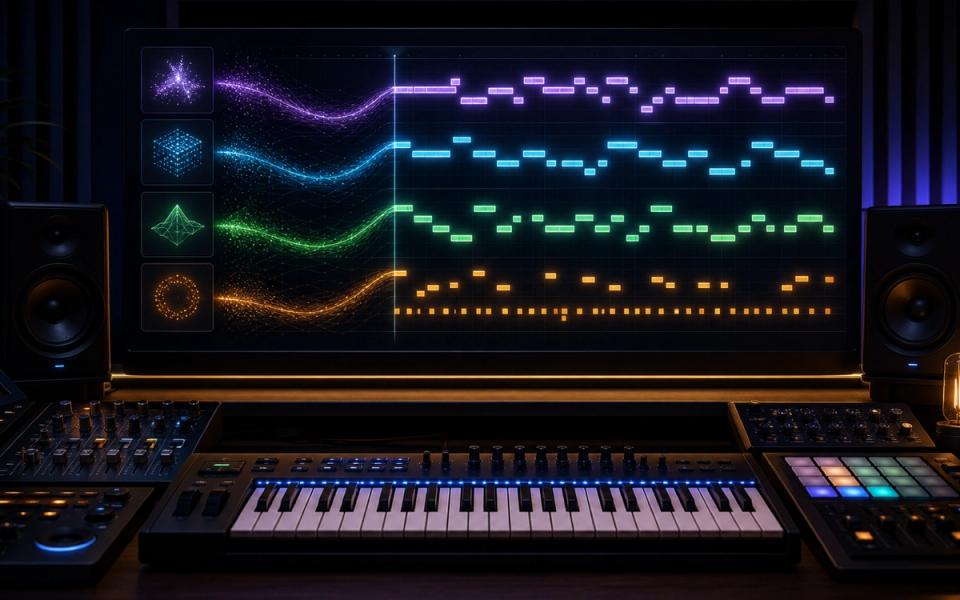
The best AI MIDI generator is the one that returns editable musical information in the place you already write. LIA is the most direct fit for natural-language work inside Ableton Live; MIDI Agent targets a broader plugin workflow; Hookpad Aria is strongest for contextual chord-and-melody writing; Magenta Studio remains a useful free experiment; and AIVA suits longer composition drafts with MIDI export.
That shortlist needs an important warning. “AI MIDI generator” is used loosely. Some tools employ trained generative models, some ask a language model to construct symbolic material, and some are deterministic music-theory systems marketed beside AI products. All can create useful MIDI, but their controls and claims are not equivalent.
Key points
- Choose by task: clip generation, songwriting, arrangement, variation, or DAW control.
- Prefer tools that keep notes, velocity, timing, and routing editable.
- Check what musical context the generator can see before judging its suggestions.
- Verify plugin format, operating system, DAW support, and export method.
- Read licensing terms for generated compositions and any connected model service.
- Treat every output as a draft to edit, audition, and document—not a finished song.
How we chose the shortlist
This comparison uses current official documentation to examine workflow, output, context, compatibility, and licensing. We did not run a controlled private test across every product, so we do not manufacture a universal “best sounding” score. MIDI itself is silent; the perceived result also depends on instrument choice, voicing, tempo, articulation, mixing, and the producer’s edits.
We included products that generate or transform symbolic musical material and let a producer continue editing it. We also include one clearly labeled rule-based alternative because it ranks for the same search intent and helps explain why the AI label is not the only route to useful MIDI.
LIA: best for natural-language work inside Ableton Live
LIA describes itself as an AI assistant for Ableton Live. Its current feature page says it can turn typed or spoken instructions into editable MIDI, beats, track setup, session actions, and mixing suggestions. The core advantage is not simply generation; it is acting inside the existing Live Set.
That can reduce the handoff common to browser generators. Instead of downloading a MIDI file, importing it, assigning a track, and rebuilding context, the producer can ask for chords, melodies, or drum patterns in relation to the session. Follow-up instructions can refine the result while the notes remain editable.
LIA is the strongest shortlist candidate when:
- Ableton Live is your main DAW.
- You want an assistant to perform session actions as well as write notes.
- Natural-language iteration matters more than a standalone composition interface.
- You want generated material to land directly in editable clips.
The limitation is equally clear: an Ableton-specific assistant is not the default choice for Logic, FL Studio, Cubase, or Pro Tools users. Confirm current system requirements, supported Live versions, model costs, privacy, and plan limits before adopting it for production.
MIDI Agent: best for a cross-DAW plugin workflow
MIDI Agent presents a text-to-MIDI assistant as a plugin and standalone application. Its official site lists VST3, AU, AAX, and standalone formats, covering more DAW environments than an Ableton-only integration.
The plugin approach is useful because the generated notes can be routed to the instruments already in the project. A producer can audition the same pattern through a piano, bass, synth, drum rack, or external device without accepting a rendered audio style.
Shortlist MIDI Agent when:
- You want prompt-driven MIDI inside several common DAWs.
- Plugin format compatibility is a requirement.
- You prefer routing the output to your own sounds.
- You want a conversational interface rather than a notation-first editor.
Before committing, confirm which model provider or account the current version uses, what data leaves the workstation, how revisions consume credits, and whether every promised format is supported by your exact host. “Supports VST3” does not guarantee identical routing behavior in every DAW.
Hookpad Aria: best for chords and melody in musical context
Aria is a generative assistant inside Hookpad, Hooktheory’s songwriting environment. Hooktheory says Aria analyzes music adjacent to the selected region and can suggest chords, melody, or both. With a blank project, it uses project information such as key and tempo to create short ideas.
This contextual infilling is the reason to choose it. Songwriters often need the next two bars, an alternate pre-chorus, or a melody over existing harmony—not a disconnected loop. Hookpad also provides a visual theory-focused workspace where suggestions can be changed before MIDI export.
Hooktheory identifies the underlying system as an adapted Anticipatory Music Transformer. Its FAQ also explains what nearby chord, melody, key, tempo, and time-signature data is relayed when generating. That is more transparent than a product that only says “AI-powered.”
Choose Aria when:
- Your problem is chord-and-melody continuation.
- You want to see harmonic function and edit a lead-sheet-like arrangement.
- The surrounding phrase should influence the suggestion.
- You prefer writing before moving the MIDI into a DAW.
Aria is less suited to full DAW operation, detailed orchestration, or audio generation. Confirm current Hookpad export access and Aria usage limits before choosing a plan.
Magenta Studio: best free experimental toolkit
Google’s Magenta Studio provides separate tools for continuing a melody or drum pattern, generating a short phrase, interpolating between ideas, adding groove, and creating drums from another rhythm. The official documentation describes both standalone and Ableton-oriented workflows.
Magenta is valuable because each tool has a narrow, understandable job. Continue predicts what may follow an input. Interpolate creates steps between two compatible ideas. Groove changes timing and velocity. Drumify extracts rhythmic character and maps it to drums.
The constraints are part of the design. The documented melody input is monophonic, the Generate tool creates a four-bar phrase, and some operations require specific input lengths or mappings. Those limits can be useful for learning what symbolic models actually do.
Choose Magenta Studio when:
- You want a no-cost way to explore model-based MIDI transformation.
- Continuation, interpolation, or humanized drum timing is the task.
- You can work within documented input constraints.
- A standalone file workflow is acceptable.
The project is older than the newer assistants in this list, so verify installer compatibility with your current operating system before building a workflow around it. Treat it as a focused creative laboratory rather than a continuously updated commercial copilot.
AIVA: best for longer composition drafts with MIDI export
AIVA is a composition platform rather than a clip-only generator. Its product information describes style-based generation, audio or MIDI influences, editing, and plan-dependent downloads including MIDI. This makes it relevant when the producer wants a broader arrangement draft rather than a single bass line.
MIDI export is the important part of this comparison. A rendered orchestral demo can sound finished while remaining difficult to reshape. A symbolic export lets the composer revoice parts, replace instruments, change harmony, correct ranges, and rebuild the mix.
Choose AIVA when:
- You want multi-section composition or scoring drafts.
- MIDI export and arrangement editing matter.
- You are willing to move from a standalone platform into the DAW.
- You understand the license attached to the selected plan.
AIVA’s official information distinguishes non-commercial, limited commercial, and fuller ownership arrangements by plan. Pricing and license terms can change, so verify them at the time a piece is created and save the applicable terms with the project. Do not assume upgrading later changes the license of every earlier output.
AudioCipher: a useful text-to-MIDI alternative that is not generative AI
AudioCipher belongs in the conversation because producers search for it alongside AI MIDI generators, but the company’s own detailed material describes a custom text-to-MIDI algorithm based on musical cryptograms rather than a trained generative model. That honesty makes it easier to evaluate.
The current product lets a user enter text, choose key, scale, rhythm, melody or chord behavior, and drag the MIDI into a DAW. MIDI Vault adds file organization. The same phrase and settings follow a designed system rather than asking a model to invent an unrestricted composition.
That may be a benefit. Deterministic or constrained generation can be easier to reproduce and direct. Choose AudioCipher when a playful text mapping, chord or melody sketch, and MIDI-file organization fit the job. Read our full AudioCipher V4 review for the current workflow and compatibility discussion.
Do Ableton’s built-in MIDI Generators count as AI?
Ableton Live includes native MIDI Generators and Transformations for patterns, rhythm, chords, and note manipulation. Ableton documents them as MIDI Tools, not as generative AI models. They should not be relabeled merely to make a roundup longer.
They are still the first option Live users should check for jobs they already solve. A native rhythm or chord generator can be faster, local, predictable, and integrated. AI is not a requirement for useful generative composition.
The better decision is functional:
- Use native or rule-based tools for controlled, repeatable patterns.
- Use contextual symbolic models for continuation and variation.
- Use language-driven assistants when translating production intent into DAW actions is the main value.
- Use composition platforms when you need larger structural drafts.
A practical comparison checklist
Run the same short brief through shortlisted tools and record:
- Input: prompt, existing MIDI, chords, melody, or blank project
- Context: what notes, tracks, key, tempo, and arrangement the tool can access
- Output: single clip, multitrack MIDI, project edit, or rendered audio
- Control: scale, chord, rhythm, length, density, instrumentation, and variation
- Editability: note, velocity, duration, timing, controller, and routing access
- Workflow: plugin, standalone, browser, export, or direct DAW action
- Reproducibility: seed, saved prompt, model version, and project history
- Rights: output license, commercial tier, attribution, and connected-model terms
- Privacy: what project data or prompts leave the computer
Audition every result through the same instrument and at the same tempo. A polished default sound can make ordinary MIDI seem better than a stronger pattern played through a weak preset.
How to turn generated MIDI into your music
Begin by deleting. Remove notes that do not support the song, shorten the phrase, and identify the one useful motif. Correct impossible ranges and awkward voice leading. Change the rhythm before changing every pitch; rhythmic identity often matters more than note density.
Then introduce authorship through decisions the generator did not make:
- Reharmonize one repetition.
- Reshape velocity around the intended performance.
- Add rests and phrase boundaries.
- Replace generic instrument choices.
- Record one human part against the generated sketch.
- Build tension and release across sections.
- Save the prompt, raw MIDI, and edited result separately.
MIDI is a control format defined through MIDI specifications; it is not an audio recording. The same notes can produce radically different results depending on articulation, synthesis, tuning, expression, and mixing. That editability is the main reason to choose symbolic generation over a finished audio output.
Licensing and documentation
Generated MIDI can involve multiple contractual layers: the product license, a connected model provider, the output policy, and any imported musical material. A commercial-use promise does not guarantee copyright protection or eliminate the risk of resemblance to existing music.
For release work, save:
- Tool and version
- Plan active at creation
- Prompt and musical inputs
- Raw output
- Material edits and human contributions
- Applicable terms and receipt
- Third-party samples or references
Our AI music licensing guide provides a broader documentation framework.
Verdict
Choose LIA for Ableton-native action, MIDI Agent for a broader plugin workflow, Hookpad Aria for contextual chords and melody, Magenta Studio for focused free experimentation, and AIVA for longer composition drafts. Consider AudioCipher when a reproducible rule-based text mapping fits better than a generative model.
The most valuable output is not the clip that sounds finished fastest. It is the one you can understand, edit, route, document, and turn into a piece that reflects your decisions.
Frequently asked questions
What is an AI MIDI generator?
It is a tool that uses a trained model or AI-assisted system to generate or transform symbolic note information such as pitch, timing, duration, velocity, chords, or controller data. Some products using the label are actually rule-based, so check the documentation.
Does MIDI contain audio?
No. MIDI carries performance and control information. A synthesizer, sampler, or hardware instrument turns that information into sound.
Can AI-generated MIDI be edited?
Usually yes, if the product exports a standard MIDI file or writes notes directly into the DAW. Confirm that the output is not limited to rendered audio.
What is the best free AI MIDI generator?
Magenta Studio remains a useful free experimental toolkit if it runs on your current system. Native DAW MIDI generators may be a better no-cost option when a rule-based tool solves the task.
Can I commercially release music made from generated MIDI?
That depends on the product terms, plan, imported inputs, and your final human contribution. Verify the current license at creation time and keep a record of the editing process.
Sources and further reading
- LIA FeaturesNatural-language Ableton actions, editable MIDI, session control, and current workflow scope.
- MIDI AgentText-to-MIDI plugin formats and DAW integration.
- Hookpad Aria Terms and FAQAria model, project context, data sent for generation, and songwriting workflow.
- Magenta StudioContinue, Generate, Interpolate, Groove, Drumify, input limits, and MIDI outputs.
- AIVA Product OverviewComposition workflow, MIDI influence and export, and plan-dependent licensing.
- AudioCipher Text-to-MIDIRule-based text-to-MIDI controls and MIDI Vault workflow.
- MIDI Association SpecificationsAuthoritative MIDI specification context.