guide
Best AI Mixing and Mastering Tools
Compare current AI-assisted mixing and mastering tools by task, control, export, privacy, price model, and whether you need a starting point or finished file.
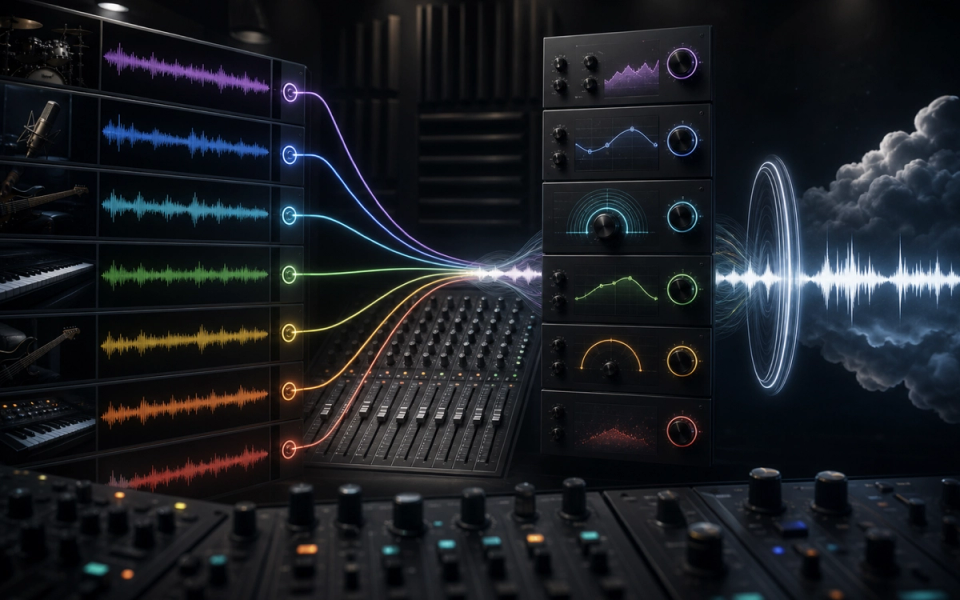
The best AI mixing and mastering tool depends on the point where your workflow is stuck. RoEx Automix is the most direct option for turning uploaded stems into a complete web-based mix and master. iZotope Neutron 5 and Ozone 12 offer the most editable in-DAW assistant workflow. sonible’s smart tools are better when you want intelligence inside individual processors. LANDR is built for fast cloud mastering and release workflows. BandLab remains the accessible option for preset-based mastering and quick AutoMix assistance.
Those products should not be ranked as if they perform the same job. Mixing balances multiple tracks and shapes their relationships. Mastering prepares a finished stereo mix for release. Analysis tools diagnose problems without making every creative decision. Choose the stage first, then the product.
Key points
- Use multitrack AI mixing when you still have clean stems and need balance, panning, processing, and a stereo result.
- Use an in-DAW assistant when you want recommendations but must retain detailed control.
- Use online mastering only after the mix arrangement and balances are genuinely finished.
- Use analysis as a second opinion, not a command to chase one generic target.
- Compare every result at matched loudness; louder usually sounds more impressive in an unfair comparison.
- Check upload retention, model-training policy, export format, sample rate, and cancellation terms.
- Keep the unprocessed mix and all revisions. Never make an automated render the only master copy.
How we selected the shortlist
This comparison uses current official documentation to assess task coverage, editability, export, privacy, compatibility, and plan structure. We did not perform a controlled listening test across all tools and genres, so we do not invent a universal winner for sound quality.
Audio quality depends on the source recording, arrangement, gain structure, genre, model or preset, reference, monitoring, and producer decisions after the assistant runs. A useful ranking therefore asks: what does the system control, what remains editable, and how safely can the result move into release work?
RoEx Automix: best for web-based multitrack mixing
RoEx Automix accepts individual stems and produces a complete mix and master in the browser. Its current help center documents stereo WAV input for mixing, common sample rates, stem-count limits, reference-track mastering on Pro, and WAV, FLAC, or MP3 exports. Pro users can also export processed stems and supported DAW project formats.
This is the closest shortlist option to an automated mix service rather than an assistant plugin. It suits artists who can export clean, consolidated stems but do not want to build a large processing chain manually.
Choose Automix when:
- The project can be reduced to a manageable set of well-labeled stems.
- You want a fast full mix rather than suggestions on individual channels.
- Cloud upload is acceptable for the material.
- Processed stem or DAW-project export matters.
- You need a repeatable baseline for demos, back catalog, or high-volume production.
The source preparation still determines the ceiling. Silence, clipping, unwanted reverb, incorrect start times, printed bus limiting, and poor edits remain problems. RoEx’s current help page also documents duration, file-size, format, and track-count limits, so confirm them before building the export.
If the original multitracks are unavailable, read Doldur Music’s AI stem-separation guide before treating estimated sources as production stems.
Mix Check Studio, another RoEx product, is the better choice when the mix already exists and you want diagnostic feedback on tonal balance, dynamics, loudness, clipping, and stereo behavior. Doldur Music’s indexed RoEx overview provides additional product context.
iZotope Neutron 5 and Ozone 12: best for editable DAW control
Neutron handles mixing; Ozone handles mastering. Both use assistants to create starting points while keeping the producer inside a conventional plugin workflow.
Neutron 5’s Mix Assistant can propose an initial direction, while modules such as Unmask, Phase, EQ, compression, clipping, and transient processing remain adjustable. Its official product documentation emphasizes the assistant as a starting point and lists AU, VST3, and AAX support for compatible 64-bit DAWs.
Ozone 12’s Master Assistant builds a mastering chain around selected targets and loudness preferences. Standard and Advanced editions expose editable modules, while Elements focuses on the assistant view. Ozone 12 also adds edition-specific controls such as reference workflows, bass control, stem-focused processing, and advanced limiting.
Choose the iZotope pair when:
- You want the assistant to propose settings, not export a black-box file.
- Every processing stage must be bypassed, adjusted, or automated.
- References and level-matched comparison are part of the workflow.
- The project will stay inside an established DAW.
- You want one ecosystem across repair, mixing, and mastering.
The tradeoff is complexity. Buying a large suite does not remove the need to understand gain staging, masking, dynamics, headroom, and monitoring. Use the assistant to reach a useful hypothesis quickly, then challenge every module.
sonible smart:essentials: best for processor-level assistance
sonible’s smart:essentials bundle combines smart:EQ 4, smart:comp 3, and smart:limit. This approach is narrower than a full automatic mix. Each plugin analyzes material for its own processing task, while the engineer retains conventional EQ, compression, and limiting controls.
That modularity suits producers who already know what the problem is. If a vocal needs controlled dynamics, run an intelligent compression profile and refine it. If several channels crowd the same range, use smart EQ behavior and group context. If the master needs delivery-level limiting, use smart:limit as one stage of a larger check.
Choose sonible when:
- You prefer separate focused plugins to an all-in-one assistant.
- The mix is already organized and routed.
- You want detailed control after learning.
- You work across several DAWs and need plugin portability.
Do not place an intelligent processor on every channel by reflex. More analysis does not guarantee a more coherent mix. Start with the tracks that have a defined problem and compare the processed signal at matched level.
LANDR: best for fast cloud mastering and release workflow
LANDR combines automated mastering with a plugin, distribution, collaboration, samples, and other artist services. Its current site says the mastering engine generates track-specific processing rather than selecting a fixed preset, and LANDR Studio plans bundle repeated mastering with a broader release workflow.
Choose LANDR when:
- The stereo mix is complete and needs a quick release candidate.
- You want several intensity or style options without building a mastering chain.
- Distribution and collaboration already happen in the same account.
- You need consistent turnaround across frequent singles.
The convenience can hide a bad handoff. An automated master cannot repair an arrangement that masks the vocal, a clipped mix bus, harsh printed effects, or unstable low end between sections. If every LANDR option reacts badly, return to the mix rather than forcing more mastering.
BandLab: best accessible mastering and quick balance tools
BandLab’s current help documentation lists four free mastering presets—Universal, Fire, Clarity, and Tape—plus membership presets, intensity control, Auto Gain, and plan-dependent mastering EQ. The service works inside BandLab projects or through a dedicated upload tool.
BandLab also offers AutoMix in its creation environment. That makes it useful for beginners, mobile creators, and fast demos, but it is important to describe the technology accurately: the mastering workflow is strongly preset-based, not a promise of a bespoke human master.
Choose BandLab when:
- Budget is the main constraint.
- The project already lives in BandLab.
- You need a fast comparison master or demo.
- A small set of understandable tonal directions is preferable to dozens of modules.
Use the free result as evidence. If one preset exposes brittle cymbals, excessive sub energy, or vocal imbalance, revise the mix and try again. The preview is most valuable when it teaches you where the mix breaks.
Which tool fits which task?
- Multitrack mix from uploaded stems: RoEx Automix.
- AI feedback on an existing stereo mix: RoEx Mix Check Studio.
- Editable mixing assistant inside a DAW: iZotope Neutron 5.
- Editable mastering assistant inside a DAW: iZotope Ozone 12.
- Intelligent EQ, compression, and limiting as separate processors: sonible smart:essentials.
- Fast cloud master connected to distribution: LANDR.
- Accessible preset mastering and a quick demo workflow: BandLab.
If the recording needs editing, pitch repair, timing correction, noise removal, or arrangement decisions, none of these categories should be the first step. Fix the production before automating the mix.
A repeatable evaluation workflow
- Export a clean premaster and preserve the original session.
- Leave sensible headroom and remove accidental clipping or mix-bus limiting.
- Choose one level-matched, legally obtained reference with similar arrangement and genre.
- Run two tools or two assistant settings, not ten random presets.
- Loudness-match every output before judging tone, punch, width, or depth.
- Listen to the entire song, including the quietest and loudest sections.
- Check mono, headphones, small speakers, car playback, and one trusted full-range system.
- Measure integrated loudness, true peak, and dynamics with a vendor-independent meter.
- Document the chosen settings and keep the rejected versions.
- Return to the mix if the master needs extreme correction.
The EBU’s R 128 work is useful measurement context because it separates loudness, loudness range, and true-peak behavior. A streaming release does not have to target the EBU broadcast level, but the underlying lesson is valuable: use standardized meters, not one provider’s unexplained “quality” score.
Privacy and rights questions
Cloud tools require audio upload. Before sending an unreleased client session, confirm retention, deletion, model-training use, staff access, breach procedures, and geographic processing. A provider saying “we do not train on your music” answers only one part of the security question.
Also confirm whether the account permits client work and whether a downloaded file remains licensed after cancellation. Mixing and mastering normally do not change ownership of the underlying song or recording, but the service contract still governs platform access and deliverables.
Frequently asked questions
Can AI mix and master a song automatically?
Yes, some services can generate a complete result from stems or a stereo file. That does not mean the result understands the artist’s intent, fixes the recording, or meets every delivery requirement. Treat it as a candidate that must be checked.
What is the best free AI mastering tool?
BandLab offers free mastering presets, and RoEx Mix Check Studio offers free analysis. Free allowances and export rules change, so verify the live plan before relying on either for a deadline.
Is AI mastering good enough for Spotify?
It can be, if the mix is strong and the exported master meets the distributor’s technical requirements. Spotify availability is not a quality guarantee. Check clipping, true peak, loudness behavior, encoding, metadata, and translation.
Should I use Neutron or Ozone?
Use Neutron during mixing on tracks and buses. Use Ozone after the stereo mix is finished. They overlap in some processors, but their assistants solve different stages.
Can mastering fix a bad mix?
Only within limits. Broad tonal balance and loudness can improve, but mastering cannot cleanly rebalance individual instruments in every moment. When the vocal, bass, drums, or effects are wrong, revise the mix.
Verdict
RoEx Automix is the direct multitrack automation choice. Neutron and Ozone provide the strongest editable assistant path. sonible is the focused processor toolkit. LANDR is the fast mastering-and-release platform. BandLab is the accessible entry point.
Pick one tool for the actual bottleneck, compare at matched level, and keep the ability to return to the source. The best AI workflow is the one that makes better decisions easier to hear—not the one that removes every decision from the producer.
Sources and further reading
- RoEx Automix HelpCurrent multitrack limits, formats, exports, free and Pro access, and reference-track workflow.
- iZotope Neutron 5Mix Assistant, Unmask, Phase, modules, plugin formats, and current compatibility.
- iZotope Ozone 12Master Assistant, edition differences, editable modules, references, and mastering workflow.
- sonible smart:essentialsCurrent smart:EQ 4, smart:comp 3, and smart:limit bundle.
- LANDR MasteringCurrent automated mastering, plugin, plan bundle, and distribution workflow.
- BandLab Mastering HelpCurrent free and membership presets, intensity, EQ, upload, and export workflow.
- EBU LoudnessVendor-independent loudness measurement and normalization context.