guide
Best AI Tools for Independent Artists
Build a small AI stack for songwriting, production, mastering, visuals, distribution, and release verification without losing artist identity or rights records.
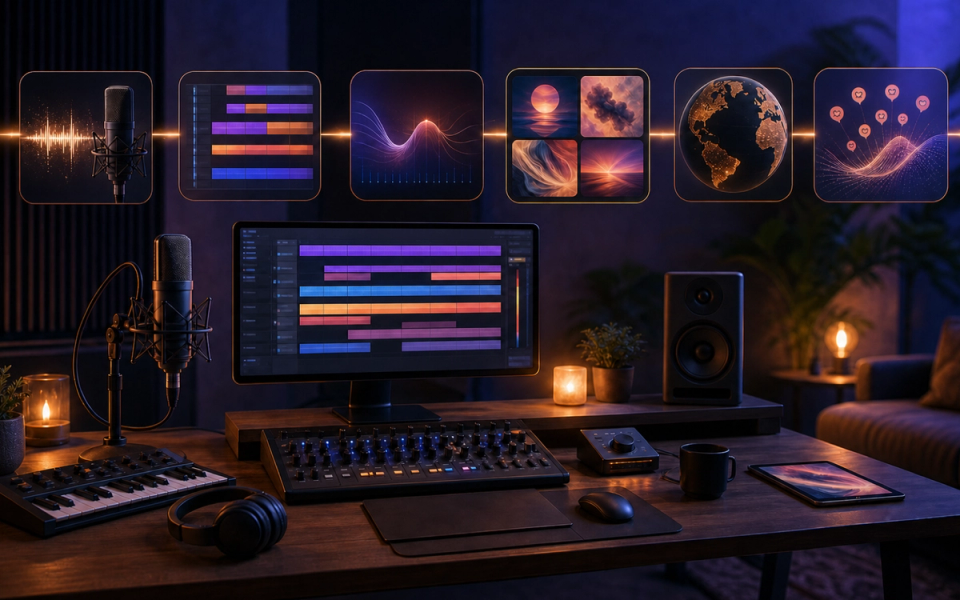
The best AI stack for an independent artist is small: one tool for starting or finishing music, one for repair and release preparation, one for artwork, and one documented distribution workflow. More subscriptions do not create a better career. Choose tools that remove a specific bottleneck while keeping the song, identity, audience relationship, and rights trail under your control.
For a lean 2026 workflow, BandLab is the strongest low-cost creation hub, LANDR is useful for arrangement assistance, mastering, and distribution, Adobe Firefly can accelerate campaign artwork with provenance signals, and the artist’s distributor plus Spotify for Artists remain the source of truth for delivery and audience data. Add specialist tools only when a repeated problem justifies them.
The shortlist
Artist task
Practical choice
Why it fits
Start and edit a song
BandLab SongStarter and Studio
A seed can continue in an editable web or mobile DAW
Add missing instrumental parts
LANDR Layers
Generates context-aware parts around existing music
Mix or master a release
BandLab AutoMix or LANDR mastering
Fast references for artists without a full engineering chain
Prepare visual assets
Adobe Firefly
Image, video, and design assistance with Content Credentials
Release AI-assisted music
LANDR distribution or your current distributor
Structured delivery, policy checks, and release records
Track platform health
Spotify for Artists
Profile mapping, release presentation, audience, and stream signals
This is a task-based comparison of current official documentation. We did not run a controlled quality test across every genre, microphone, plan, and release, so we do not invent a universal score.
BandLab: best starting point for a limited budget
BandLab combines a browser and mobile studio with collaboration, loops, instruments, recording, editing, mastering, and optional AI tools. SongStarter can generate three variations using genre, mood, tempo, and key controls, then save the result or open it in Studio.
That handoff matters. An independent artist needs an editable project, not a folder of disconnected generations. Inside Studio, replace the hook, rewrite harmony, program drums, record vocals, arrange sections, automate effects, and export versions.
BandLab’s current membership documentation places Voice Cleaner and AutoMix in paid tiers, while the core platform maintains broad free access. Verify the current grid before subscribing because features can move between plans.
The important rights limitation is easy to miss: BandLab says users do not own the generated SongStarter track, although they may use it without paying fees or royalties to the original creator. Do not translate royalty-free use into ownership. Preserve the seed, add substantial original writing and performance, and document what changed.
Our BandLab SongStarter overview provides product background.
Choose BandLab when:
- You need one low-cost place to sketch, record, and arrange.
- Web and mobile access are important.
- Collaborators need an accessible shared project.
- A generated seed must become editable MIDI and audio.
- You are willing to replace generic material rather than release the first result.
LANDR Layers: best for a missing part
LANDR Layers listens to existing music and creates instrumental parts based on professional performances. The current support page describes a virtual-session workflow rather than a blank-prompt song generator.
Use it when a mostly written track needs bass movement, drums, guitar, keys, or a contrasting texture. Generate for a defined region, audition alternatives, drag the chosen stem into the DAW, and edit around the song’s arrangement.
This approach protects identity better than generating a full replacement song. Your lyric, melody, performance, and structure remain the center. The model fills one role.
Before uploading unreleased audio, check input storage, project privacy, plan limits, and output license. Retain the source and generated stem separately.
Choose Layers when:
- The song already exists.
- One instrumental role is missing.
- Audio stems are more useful than MIDI.
- You want to compare session-player directions quickly.
- You will still arrange and mix the part.
LANDR or BandLab mastering: best as a reference
Automated mastering can produce a fast release candidate and reveal mix problems. It should be used as a comparison, not a ceremony that makes every mix finished.
Export a clean premaster without clipping. Generate the automated version. Loudness-match it against the premaster and a relevant commercial reference. Listen for vocal level, low-end stability, harshness, pumping, stereo collapse, and distortion. If the system applies extreme correction, return to the mix.
For a single or demo with limited budget, a controlled automated master may be practical. For a fragile acoustic recording, complex album, unusual loudness target, or high-value release, an experienced mastering engineer can make contextual decisions and manage sequencing, formats, and revisions.
Never choose a master because it is louder in an unmatched comparison.
Adobe Firefly: best for campaign asset prototypes
Independent artists often need a cover concept, canvas, teaser background, poster crop, lyric visual, and ad variants before they can brief a designer. Adobe Firefly provides generative image, video, sound-effect, and translation features across current plans.
Adobe’s product description says outputs may not be unique or protectable and that Content Credentials are applied when Firefly-generated assets are exported. Those limits are useful, not defects to hide. Treat generated visuals as campaign material that still needs art direction and rights review.
Use Firefly to:
- Explore three visual directions from a written release brief.
- Remove or extend backgrounds for platform crops.
- Produce motion studies for short clips.
- Generate textures or objects for a designer to combine.
- Translate spoken promotional video where voice and rights are authorized.
- Attach provenance to exported generated assets.
Do not prompt with a living artist’s name, copy recognizable artwork, upload confidential imagery without checking terms, or assume a plan removes trademark and publicity concerns. A distinctive release deserves human typography and final art review.
Distribution: where AI claims meet platform rules
LANDR currently says it accepts AI-assisted music but applies restrictions, including a monthly limit for AI-generated submissions and prohibitions on infringement and unlawful impersonation. That is a concrete example of why artists must read both tool and distributor rules.
Your distributor may ask:
- Whether the recording is fully or partly generated.
- Whether you own or control the master and composition.
- Whether voices, samples, and artwork are authorized.
- Whether the release is eligible for Content ID.
- Whether contributor names and roles are accurate.
Answer honestly and save the submission. Spotify’s policy focuses on unauthorized voice replicas, deceptive profile mapping, spam, infringement, and artificial streaming. A distributor’s acceptance does not guarantee platform placement.
Build the smallest useful stack
Stack A: free or nearly free
- BandLab Studio for writing, recording, editing, and collaboration.
- SongStarter only for a seed when the blank timeline is the blocker.
- BandLab mastering as a reference.
- Existing distributor for delivery.
- Native phone or desktop tools for short-form edits.
Spend first on a microphone, monitoring, room control, musician, or engineer when those improve the song more than software.
Stack B: self-producing release
- Your established DAW as the source of truth.
- LANDR Layers for one missing instrumental role.
- Automated mastering for comparison, then manual revision or engineer review.
- Firefly for concept and campaign variants.
- Distributor and Spotify for Artists for release health.
Stack C: frequent catalog
Add templates, naming standards, version control, contributor forms, rights records, and analytics before adding more generators. Operational consistency usually saves more time than another creative subscription.
A release workflow
1. Write the brief
Define audience, emotion, hook, tempo range, reference qualities, release date, formats, and campaign idea. A good brief lets you judge AI suggestions instead of following them.
2. Create the human anchor
Record a melody, lyric, groove, chord sequence, vocal, instrument, or field sound. Give the project material that belongs to this artist.
3. Use one assistant per bottleneck
SongStarter for a seed, Layers for a missing part, AutoMix for a balance reference, mastering for a final comparison, Firefly for visual prototypes. Do not apply every tool because it exists.
4. Preserve versions
Keep prompts, outputs, source files, receipts, terms, DAW sessions, and edits. Name the accepted contribution and rejected alternatives.
5. Run a dependency test
Mute the generated element. Does the song still have an original lyric, melody, performance, groove, arrangement, and identity? If not, create more.
6. Audit rights
Check input, output, samples, voices, collaborator splits, artwork, and plan status. Our AI music licensing guide explains the layers.
7. Deliver and verify
Use correct artist identifiers, credits, dates, territories, and disclosure fields. Inspect the live release, profile mapping, artwork, lyrics, and analytics.
Buying rules
- Solve a repeated bottleneck, not curiosity.
- Prefer editable output and exportable project files.
- Confirm commercial rights for the exact plan.
- Check cancellation survival and data retention.
- Avoid overlapping subscriptions.
- Test with one release before annual billing.
- Budget for human help at the highest-risk stage.
- Recheck prices and features on official pages.
Final recommendation
Start with BandLab if cost and access are the constraints. Add LANDR Layers when an existing song needs instrumental help. Use automated mastering as a controlled reference. Use Firefly for campaign prototypes and provenance-aware exports. Keep delivery, audience data, and identity verification inside distributor and platform workflows.
The best independent-artist stack does not make the artist invisible. It creates more time for writing, performance, relationships, and releases while leaving a clear record of every assisted step.
Sources and further reading
- BandLab SongStarter HelpCurrent controls, variations, Studio handoff, and output-rights statement.
- BandLab Membership FAQCurrent plan placement for AI tools, distribution, promotion credits, and artist services.
- LANDR Layers HelpCurrent context-aware virtual-session and instrumental-part workflow.
- LANDR AI Distribution PolicyCurrent AI-assisted submission limit, infringement, impersonation, and platform restrictions.
- Adobe Firefly Product DescriptionCurrent output similarity, input blocking, and Content Credentials behavior.
- Spotify AI ProtectionsCurrent identity, spam, unauthorized voice, profile mapping, and AI metadata direction.