guide
Text-to-MIDI vs Text-to-Audio for Music Production
Choose text-to-MIDI for editable composition and instrument control; choose text-to-audio for rendered sound, fast demos, texture, or complete audio concepts.
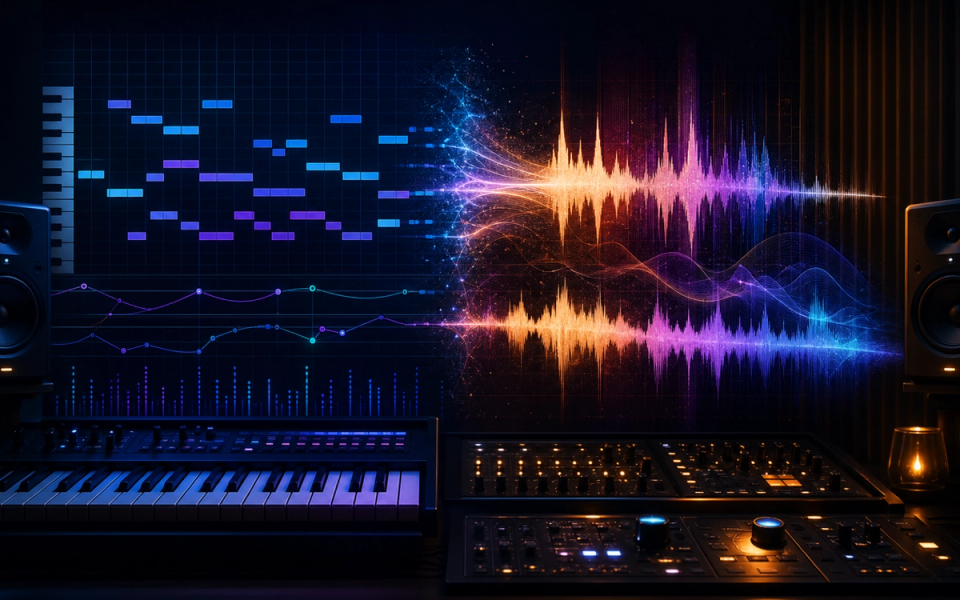
Choose text-to-MIDI when you need editable notes, chords, rhythm, tempo, instrumentation, and arrangement control. Choose text-to-audio when you need rendered sound quickly: a complete demo, vocal concept, texture, ambience, or style reference. For release work, the strongest workflow often uses text generation only for a draft, then rebuilds the result with documented human decisions and verified rights.
The two technologies can begin with similar prompts but produce fundamentally different assets. MIDI represents musical performance instructions. Audio is the resulting waveform. That difference affects every later step: editing, sound design, collaboration, file size, model behavior, licensing, and what can be corrected when the output is wrong.
Key points
- Text-to-MIDI returns symbolic information that remains deeply editable.
- Text-to-audio returns a rendered sound recording or audio segment.
- MIDI separates composition from instrument and production choices.
- Audio can communicate timbre and performance faster but is harder to revise precisely.
- Product export and commercial-use policies can change independently of the technology.
- Save prompts, inputs, raw outputs, terms, and material edits for any release workflow.
What text-to-MIDI generates
Text-to-MIDI systems translate a phrase, instruction, or musical brief into note events and related control information. Depending on the tool, the output may contain pitch, note start, duration, velocity, channel, tempo, controller data, or several instrument tracks.
MIDI does not contain the sound of a piano, singer, drum kit, or synthesizer. It tells an instrument what to perform. The MIDI Association maintains the specifications that allow compatible software and hardware to exchange those instructions.
That separation is the main creative advantage. The same chord progression can drive a felt piano, analog pad, guitar sampler, modular synth, or notation program. A producer can move one note, change a voicing, quantize only selected events, alter velocity, replace the instrument, or rewrite the entire last bar without regenerating the rest.
Some products genuinely use generative models, while others use language models, music-theory engines, or deterministic mappings. AudioCipher, for example, describes text-to-MIDI controls based on a custom musical-cryptogram system and lets users drag the result into a DAW. It is useful symbolic generation, but it should not be presented as an unrestricted audio model.
What text-to-audio generates
Text-to-audio systems produce a waveform. A music model interprets the prompt and renders timbre, performance, arrangement, space, and mix decisions together. Meta describes MusicGen within AudioCraft as generating music from text inputs, using Meta-owned and specifically licensed music for training.
Consumer song platforms extend this idea with lyrics, section controls, audio upload, remixing, or continuation. Suno produces song recordings from prompts and applies different output rights to free and paid tiers in its current terms. Udio’s help materials describe extending, remixing, and stylizing user-owned audio, while a separate current notice says audio, video, and stem downloads were disabled following its UMG partnership changes.
Those policy differences are a practical warning: a compelling browser result is not useful to a production workflow if the required export is unavailable. Verify the live product before choosing it for a scheduled release.
The core difference: instructions versus a recording
Imagine asking for “an eight-bar minor-key piano theme with a syncopated bass and restrained drums.”
A text-to-MIDI result may return separate note patterns. You choose the piano library, bass patch, drum kit, tempo, room, humanization, and mix. If the third chord is wrong, you edit it.
A text-to-audio result may return a convincing finished excerpt with instrument tone, ambience, performance, effects, and mastering already combined. If the third chord is wrong, you may need to regenerate, edit a section with the platform, use source separation, or accept collateral changes.
The audio result communicates an aesthetic faster. The MIDI result gives the producer more control over how the aesthetic is built.
Choose text-to-MIDI when editability matters
Text-to-MIDI is usually the better fit for:
- Chord progressions and reharmonization
- Bass lines and melodic motifs
- Drum patterns and rhythmic variations
- Orchestration sketches
- External hardware sequencing
- Notation and educational analysis
- Collaborative sessions where sounds will change
- Songs that need detailed authorship and revision records
It is also efficient. Symbolic files are small, easy to version, and independent of a particular sample rate. A collaborator can open the notes even if they do not own your exact instrument, then substitute another sound.
The limitation is that MIDI does not solve production. A generic pattern played through a strong preset may impress, while a better composition played through a weak sound may not. Producers must handle articulation, voice leading, range, groove, expression, timbre, and mixing.
Our indexed AudioCipher V4 review shows a practical text-to-MIDI and file-management workflow.
Choose text-to-audio when the sound is the idea
Text-to-audio is usually the better fit for:
- Fast mood and arrangement demos
- Sound design, ambience, and texture exploration
- Vocal phrasing or full-song concepts
- Temporary music for an edit
- Communicating a production direction to collaborators
- Generating material that will be heavily transformed
- Testing whether a brief works before commissioning or recording
The rendered output can collapse hours of decisions into seconds. A director can hear whether “sparse nocturnal electronic tension” fits a scene. A songwriter can explore a different tempo or genre treatment. A producer can sample a legally usable texture and reshape it.
The limitation is control. Audio combines note choices with performance and sound. A wrong lyric, unwanted cymbal, strange transition, or over-compressed vocal may be difficult to fix without changing other elements. Stem export can help, but availability and quality vary, and current Udio documentation demonstrates that export features can change.
A side-by-side workflow comparison
Text-to-MIDI:
- Enter a musical instruction or provide symbolic context.
- Receive notes, patterns, or tracks.
- Import or generate inside the DAW.
- Assign instruments and articulations.
- Rewrite harmony, rhythm, structure, and expression.
- Record and mix the final audio.
Text-to-audio:
- Enter a descriptive prompt, lyrics, or audio context.
- Receive a rendered waveform.
- Evaluate composition, performance, timbre, and mix together.
- Regenerate, extend, remix, separate, or edit sections.
- Export if the current product and plan allow it.
- Clear, document, transform, or rebuild for final use.
The first path postpones sound decisions. The second path makes many sound decisions immediately.
Which format is easier to revise?
MIDI wins for discrete musical revisions. Moving a note, changing a chord inversion, replacing a kick, slowing a hi-hat pattern, or transposing a part can be exact and reversible.
Audio wins when the desired revision is global and aesthetic: “make this more intimate,” “try a rougher voice,” or “turn the orchestral cue into distorted ambient pop.” A model may generate that transformation faster than a producer can reprogram every instrument, although it may also alter details you wanted to keep.
For important work, separate ideation from approval. Use broad generation to discover direction, then switch to an editable production representation before the project becomes expensive to change.
Which format works better with a DAW?
MIDI integrates naturally with piano rolls, drum racks, software instruments, notation, automation, and external devices. Plugin or assistant tools can write clips directly into the project. File-based generators require an import, but the result remains editable.
Audio integrates naturally with every DAW as a clip. It can be cut, warped, pitched, reversed, layered, processed, or separated. The problem is not compatibility; it is granularity. The DAW sees a waveform, not the exact chord symbols, lyric syllables, instrument identities, or performance intent that created it.
Audio-to-MIDI transcription and stem separation can create additional control, but each conversion adds estimation errors. If you know the final session needs MIDI, generate MIDI at the start rather than relying on a later transcription.
Quality means different things
For MIDI, evaluate musical usefulness:
- Does the harmony fit the brief?
- Are ranges and voice leading playable?
- Does the rhythm support the groove?
- Can sections develop rather than loop mechanically?
- Are notes and velocities easy to edit?
- Can the tool use existing musical context?
For audio, evaluate the rendered result:
- Are vocals, transients, and timing coherent?
- Does the arrangement develop naturally?
- Are there glitches, strange words, or abrupt transitions?
- Can required parts be edited or exported?
- Does the file meet the needed length and format?
- Will it survive exposed listening after further processing?
Do not compare a bare MIDI piano preview with a mastered audio generation and conclude that audio is more musical. Compare the composition after assigning an appropriate instrument and level-matching playback.
Rights and licensing are not the same as format
Neither MIDI nor audio is automatically safe to release. The relevant questions include the product terms, plan, training and input policies, imported material, resemblance to existing music, and the human authorship in the final work.
Suno’s current terms distinguish free-tier non-commercial use from rights assigned for compliant paid-tier outputs. That is a contractual rule attached to the service, not an inherent property of WAV files. Another audio tool may use different terms. A MIDI platform may also limit commercial use or claim rights depending on its plan.
Before release, record:
- Tool, version, and model if disclosed
- Account tier at creation
- Prompt, lyrics, audio, and MIDI inputs
- Raw output and export date
- Current terms and receipt
- Human edits, performances, and arrangement work
- Samples, references, and third-party permissions
- Distributor or client disclosure requirements
Our AI music licensing guide explains these layers in more detail.
A hybrid workflow is often better
Use text-to-audio to discover timbre, pacing, or an arrangement direction. Then recreate the valuable idea as MIDI, performance, sound design, or recorded parts you can control. Alternatively, begin with text-to-MIDI, build the arrangement with your instruments, and use audio generation only for a texture or temporary reference.
A practical hybrid sequence is:
- Write a short brief naming musical function rather than an artist imitation.
- Generate two or three audio directions.
- Select one structural idea, not the entire recording.
- Rebuild chords, melody, and rhythm as editable MIDI.
- Replace sounds and reshape arrangement.
- Record human parts or automation.
- Compare the new work against the brief, not against the generated file.
- Archive the provenance and applicable terms.
This keeps audio generation in the role where it is strongest—fast aesthetic communication—without letting a difficult-to-edit render become the foundation of every later decision.
Decision guide
Choose text-to-MIDI if you say:
- “I need to change the chords later.”
- “I want to use my own instruments.”
- “The drummer needs a different groove.”
- “This must become notation or control hardware.”
- “I need precise records of the musical edits.”
Choose text-to-audio if you say:
- “I need to hear the mood now.”
- “The timbre or vocal performance is the experiment.”
- “This is a temporary demo or edit reference.”
- “I want a texture to transform rather than a score to arrange.”
- “The platform currently provides the export and license I require.”
If both lists apply, use a hybrid workflow and move to editable material before final production.
Verdict
Text-to-MIDI is the safer default for producers who value control, revision, instrument choice, and documented arrangement work. Text-to-audio is the faster medium for rendered concepts, performance, texture, and complete demos.
Choose based on the next production decision. If the next step is “change the notes,” use MIDI. If the next step is “decide whether this sound and mood work,” use audio. For a release, verify exports and terms at creation time and preserve a clear record of what you changed.
Frequently asked questions
Is MIDI better quality than generated audio?
They measure different things. MIDI has no audio quality until an instrument renders it. It offers precise editability; audio offers an immediate finished sound.
Can text-to-audio be converted to MIDI?
It can be transcribed, but polyphonic audio-to-MIDI is an estimation task and may misidentify notes, timing, instruments, and expression. Generate MIDI directly when symbolic control is a requirement.
Can text-to-MIDI generate vocals?
MIDI can control a vocal synthesizer or define melody and expression, but it does not contain a recorded voice or lyrics performance by itself.
Is text-to-MIDI safer for copyright?
Not automatically. Product terms, inputs, resemblance, and human authorship still matter. MIDI is easier to edit and document, which can support a clearer creative record.
Can I use both in one song?
Yes. Use audio generation for references or textures and MIDI for editable composition, or render generated MIDI through instruments and combine it with properly licensed audio material.
Sources and further reading
- MIDI Association SpecificationsAuthoritative symbolic music and interoperability context.
- Meta AudioCraftText-conditioned MusicGen audio generation and training-data statement.
- Suno Terms of ServiceCurrent tier-dependent output and commercial-use terms.
- Udio — Create Music with Your Own AudioAudio upload, extend, remix, and stylize workflow.
- Udio — UMG Partnership ChangesCurrent download and stem-export availability warning.
- AudioCipher Text-to-MIDIText-to-MIDI controls, drag-to-DAW workflow, and MIDI organization.